How it works › Getting started
What is Tracy?
Tracy is a business application builder. You can create a CRM, ERP, admin panel, or a mobile app for field workers on your own—without needing developers.
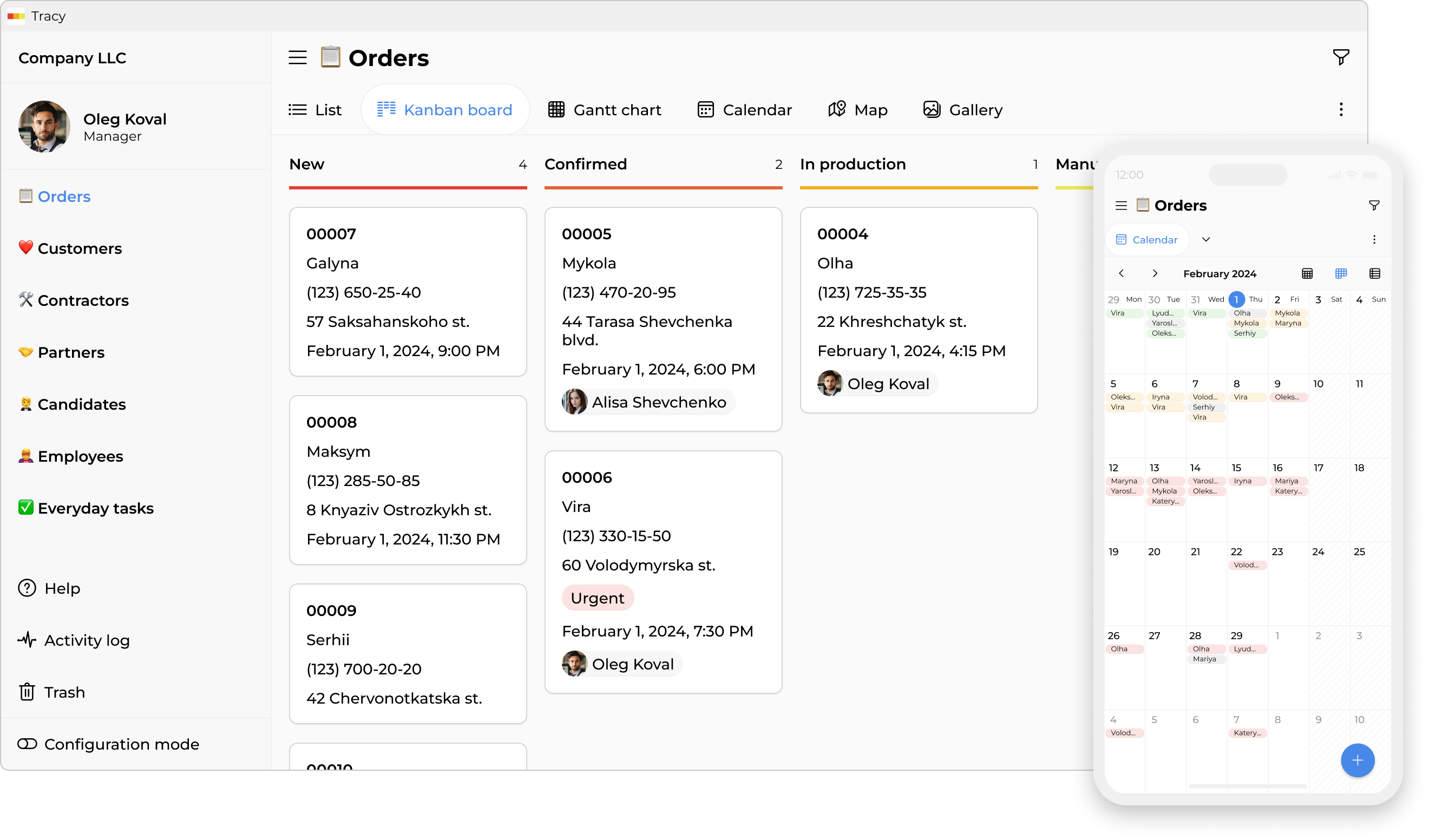
If you are comfortable working with Excel or Google Sheets, you will understand the logic behind Tracy, but you will gain capabilities often lacking in spreadsheets when it comes to process management:
- Create a dataset. This is the equivalent of a spreadsheet tab (e.g., “Orders” or “Customers”).
- Add properties. These are your table columns. However, unlike Excel, Tracy offers over 20 property types: not just numbers or text, but images, files, barcodes, map locations, comment threads, checklists, and more.
- Define states. These are the stages of a task (“New”, “In Progress”, or “Completed”), the availability of a product (“In Stock” or “Sold Out”), and so on.
- Choose representations. You are not limited to a table view. Work with your data in the way that suits you best: on a Kanban board, a calendar, a map, etc.
- Configure permissions. You decide exactly who can view or edit each individual property and under what conditions. For example, you can restrict managers from seeing other people’s orders, grant view-only access without editing rights, or hide specific client details or purchase prices.
- Your app is ready! The result is a simple, user-friendly interface where every employee sees exactly what they need for their work—and nothing else. No one will accidentally delete a critical formula or access confidential data.