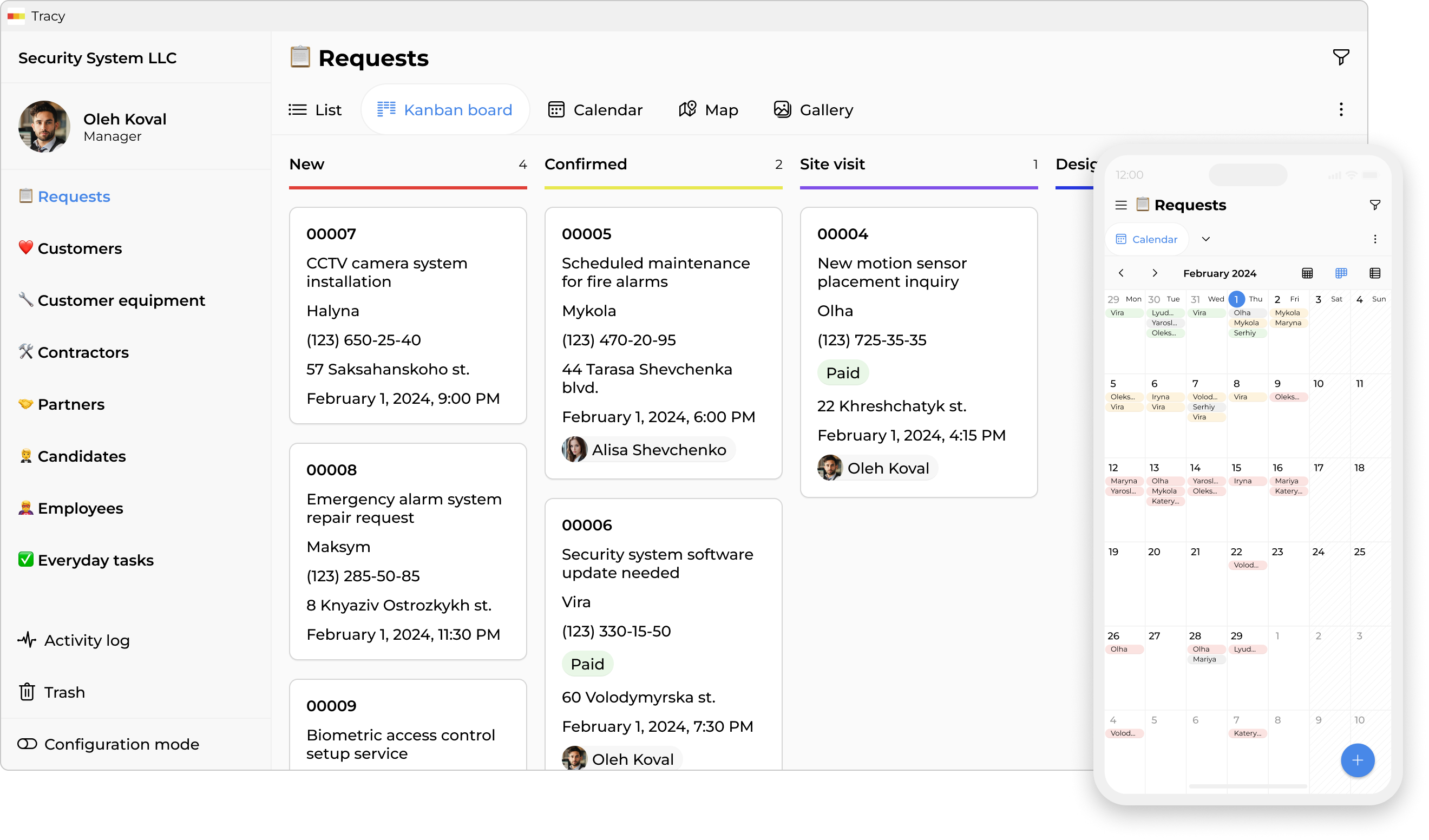
App for security system service

From the first client call to scheduled maintenance—everything on one screen. Mobile app for staff.
App for security system service

Without a system—it’s the same thing every day

Orders scattered across messengers and minds

The client messaged on Viber, the manager called, the HOA sent an email. Who actually took the job?

The engineer arrives but lacks the specs

“Hikvision or Dahua? How many DVR channels? Which Ajax hub model?” It’s all in the head of the guy who installed it 3 years ago.

Missed maintenance reminder, expired contract

The service contract is up. No one offered a renewal. The client forgot—and the contract quietly expired.

The alarm failed, and you don’t know why

The client panics: “The cameras didn’t record.” Who installed them? When was the last check? Without site history, you’re flying blind.

CRM—clients and tickets under control
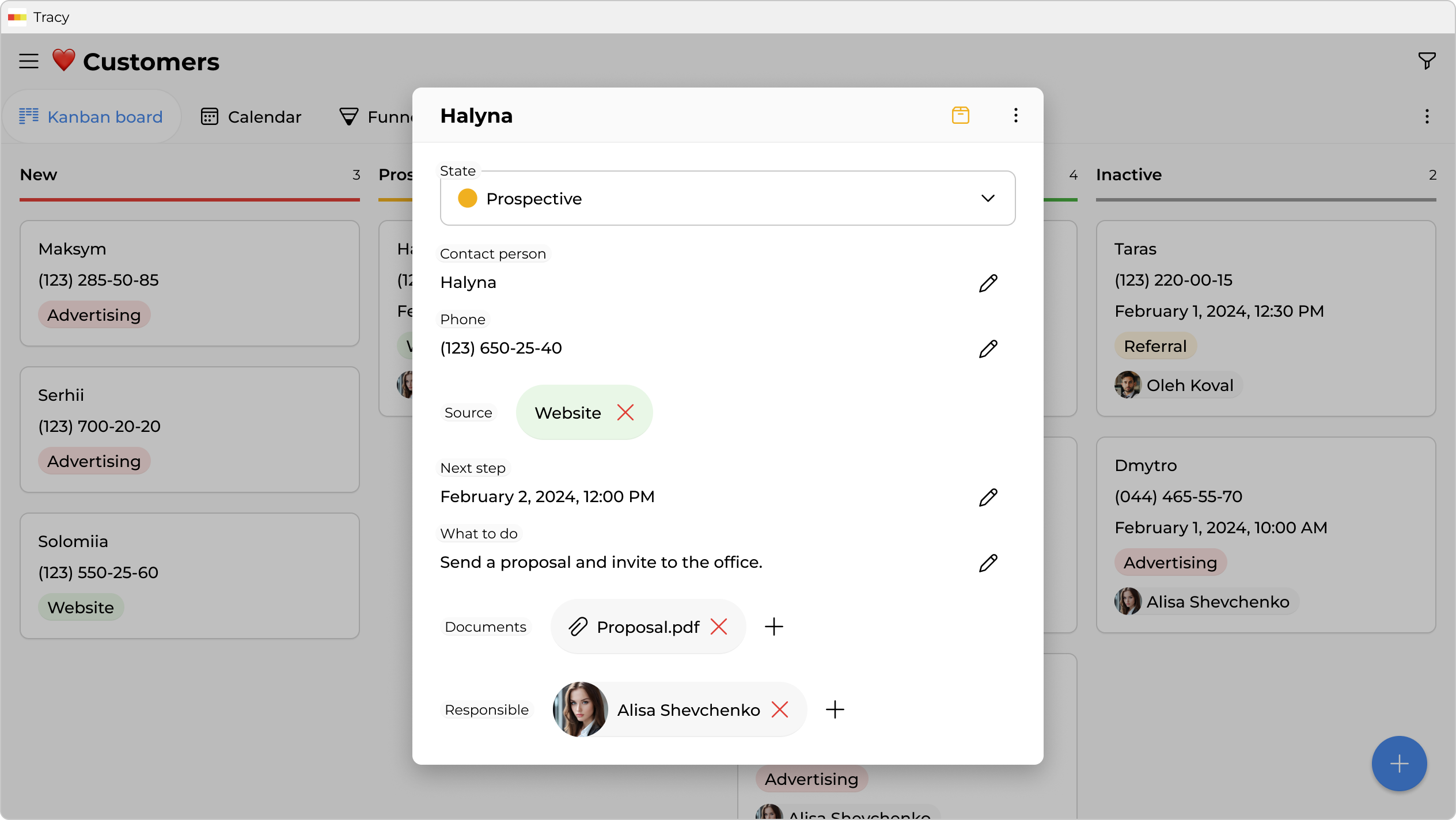
Client database with contacts and work history

Client database with contacts and work history

Offices, warehouses, stores, HOAs, medical facilities—all your data stays yours and is always at hand.
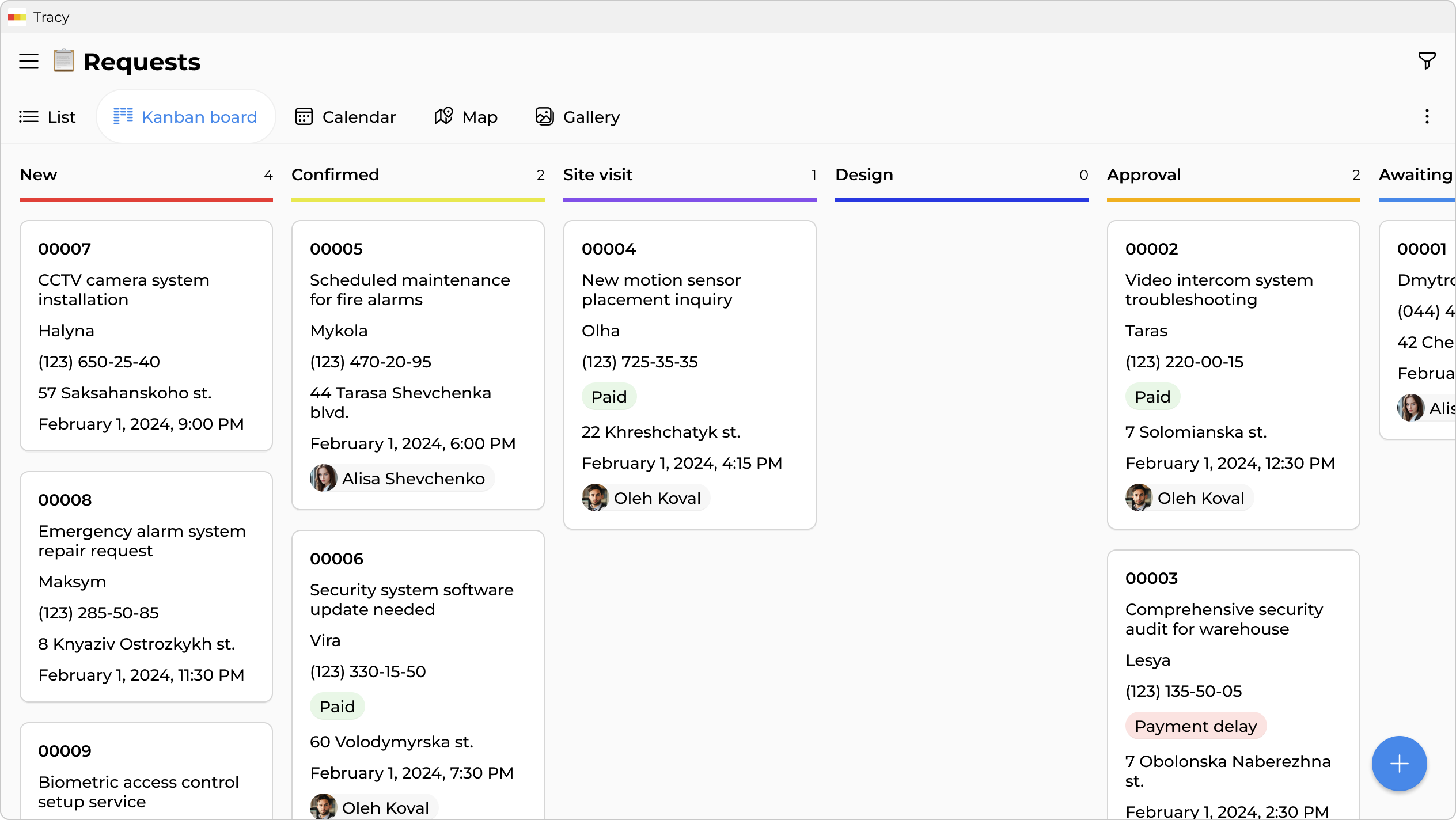
All tickets—on one board

All tickets—on one board

Installation, maintenance, repair, diagnostics—all by stage. You see what’s urgent, what’s scheduled, who’s working on what, and what’s waiting on equipment.
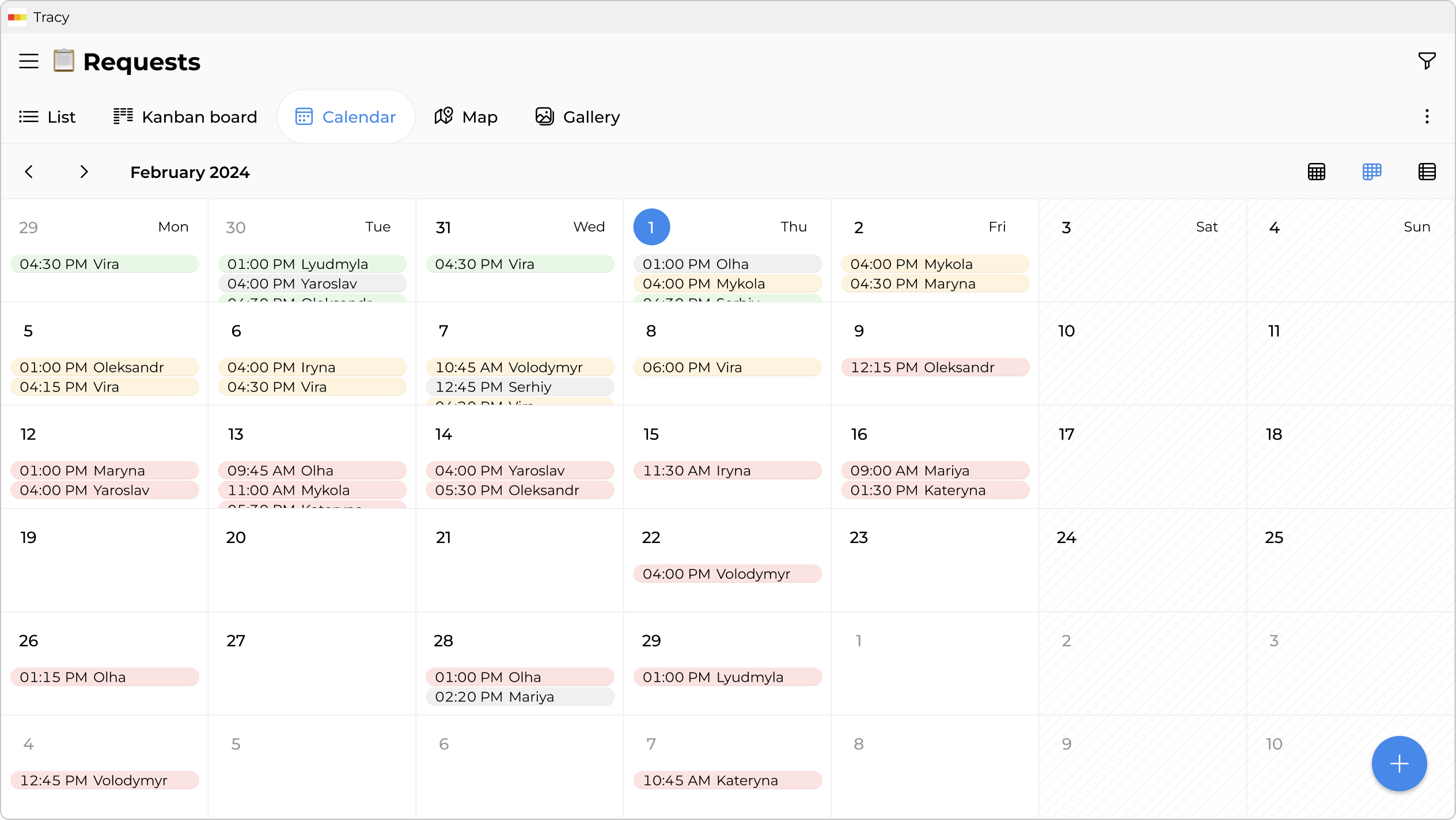
Site visit calendar and reminders

Site visit calendar and reminders

Installations, scheduled maintenance, emergency visits—all in the calendar with automatic notifications. Your team won’t miss a thing.
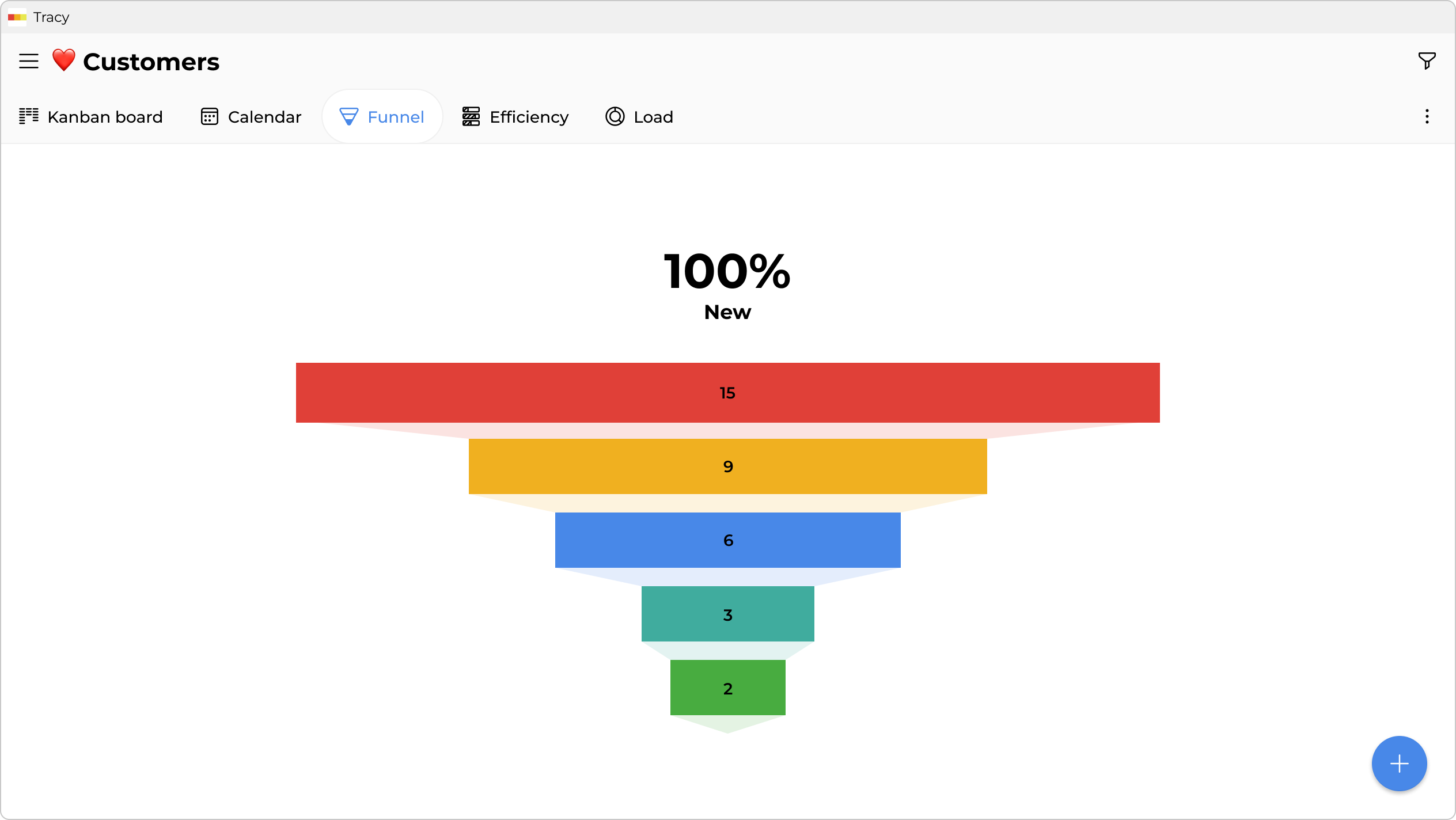
Sales funnel

Sales funnel

The full picture of your sales: how many clients are at each stage and which managers close more deals.

Engineer and installer on-site—all the info on their phone
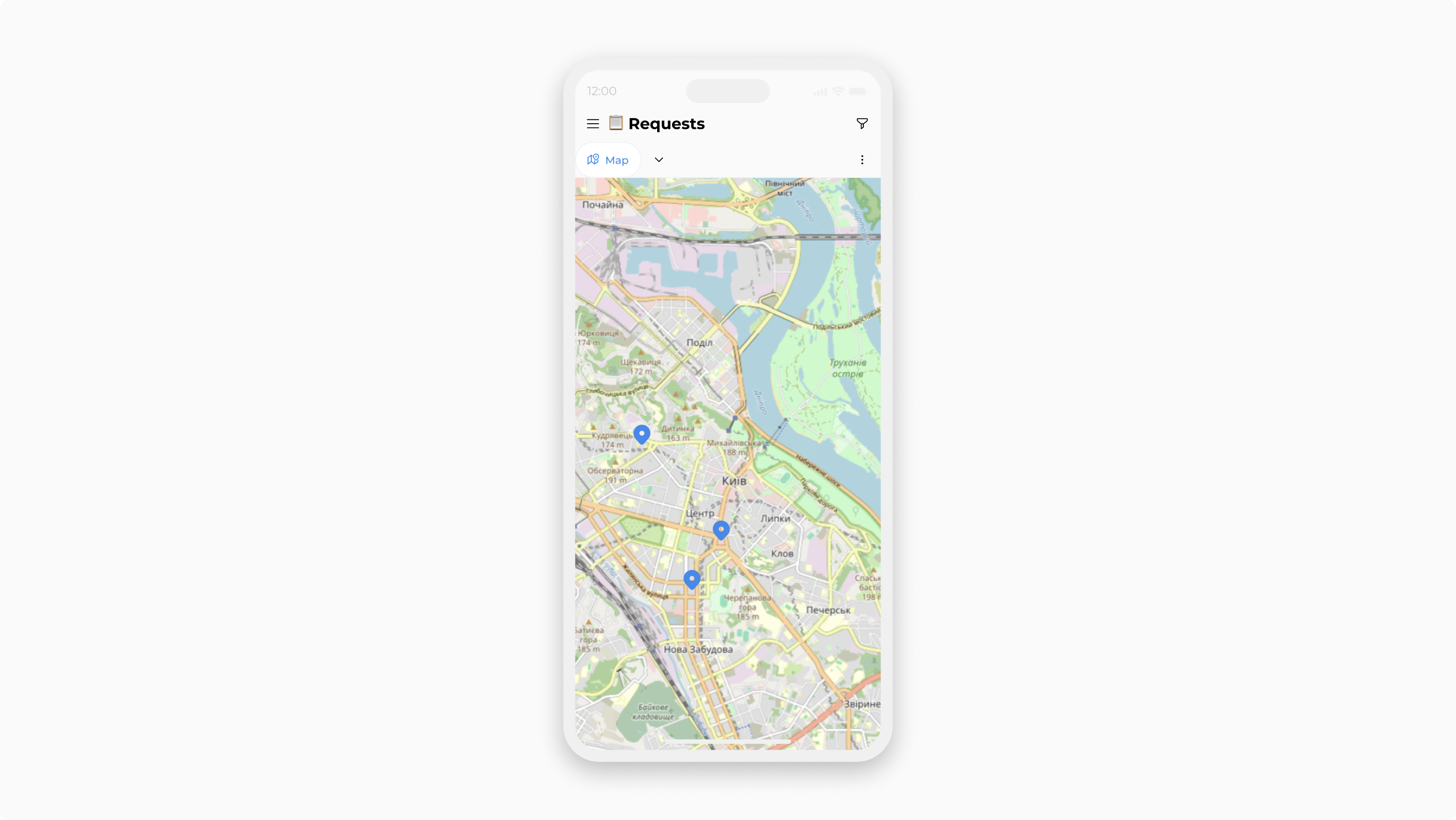
All sites on a map

All sites on a map

Exact location of each visit, a convenient route between them, and client contacts—right on the team’s phone.
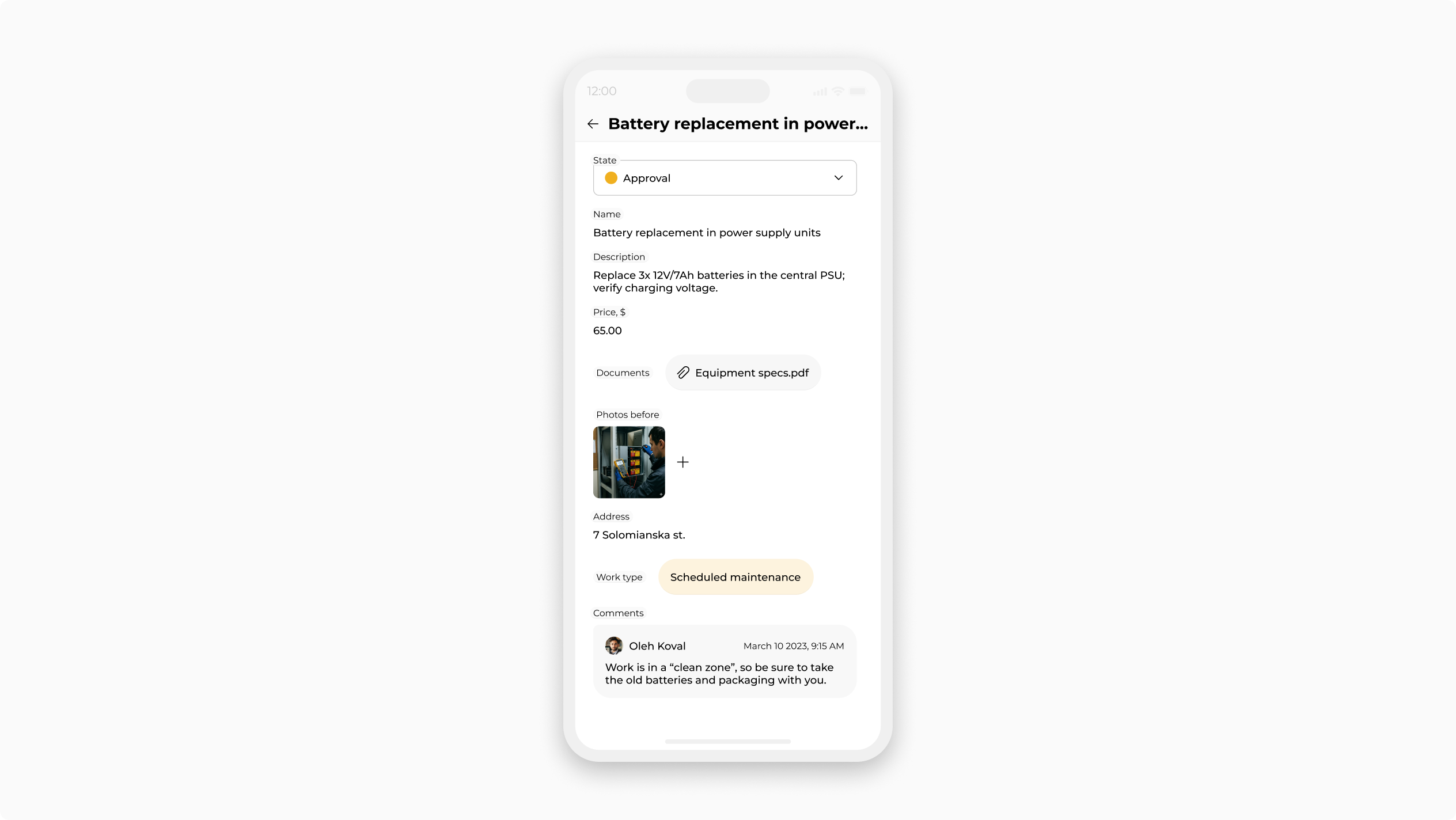
Project, equipment, and visit history—right in the ticket

Project, equipment, and visit history—right in the ticket

What’s installed on-site, when it was set up, what was fixed last time, who the engineer was. The engineer sees the full picture before they even step inside.

“Before” and “after” photos, work completion report

“Before” and “after” photos, work completion report

The engineer and installer take photos of the state before and after, attach the report—all goes straight into the ticket. The client sees what was done, you have proof.

Client equipment and work cycle—from project to completion
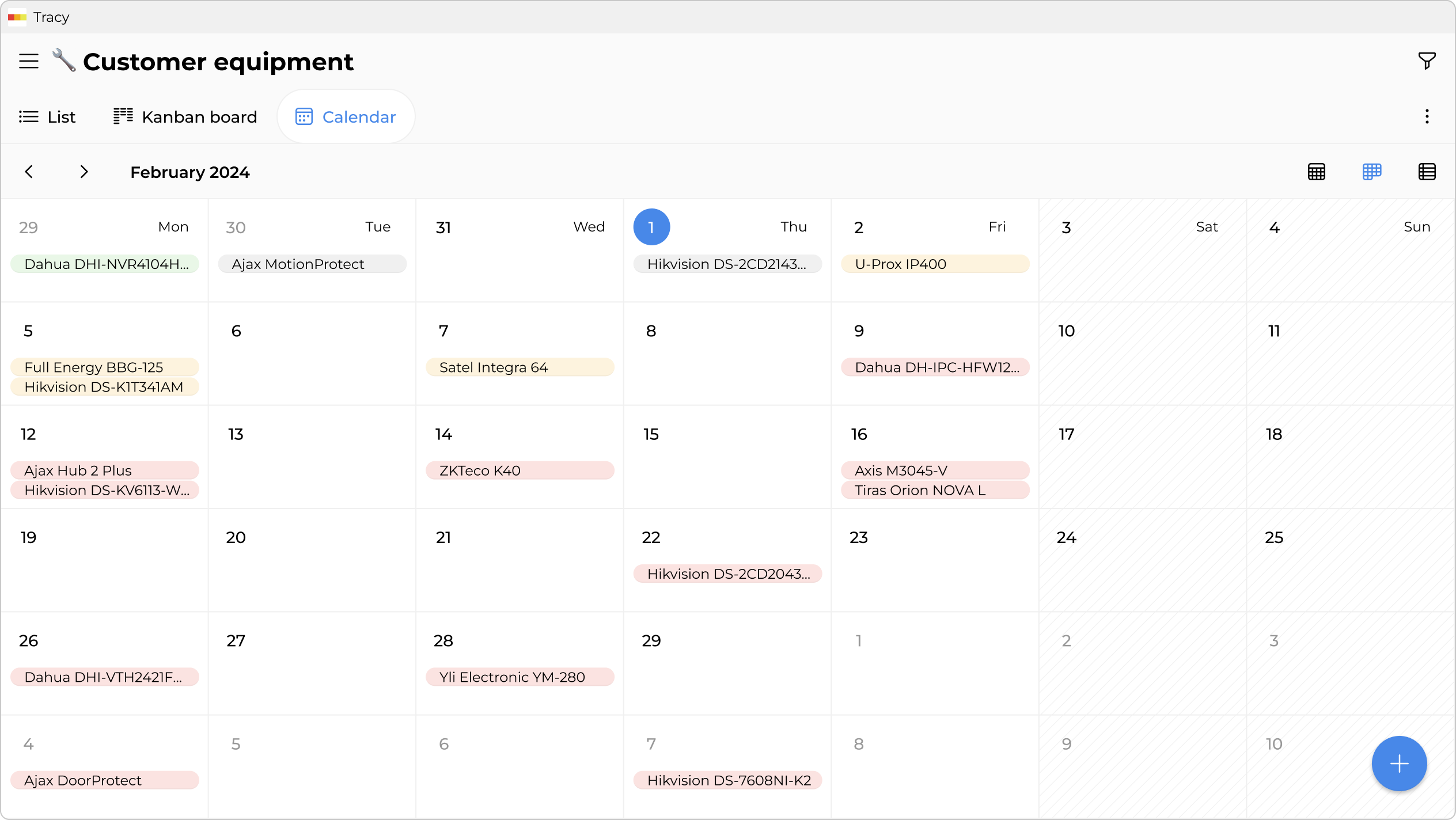
Maintenance schedule—automatic reminders

Maintenance schedule—automatic reminders

The system shows when the next scheduled maintenance is due for each site. Clients with service contracts aren’t lost, no date gets missed.
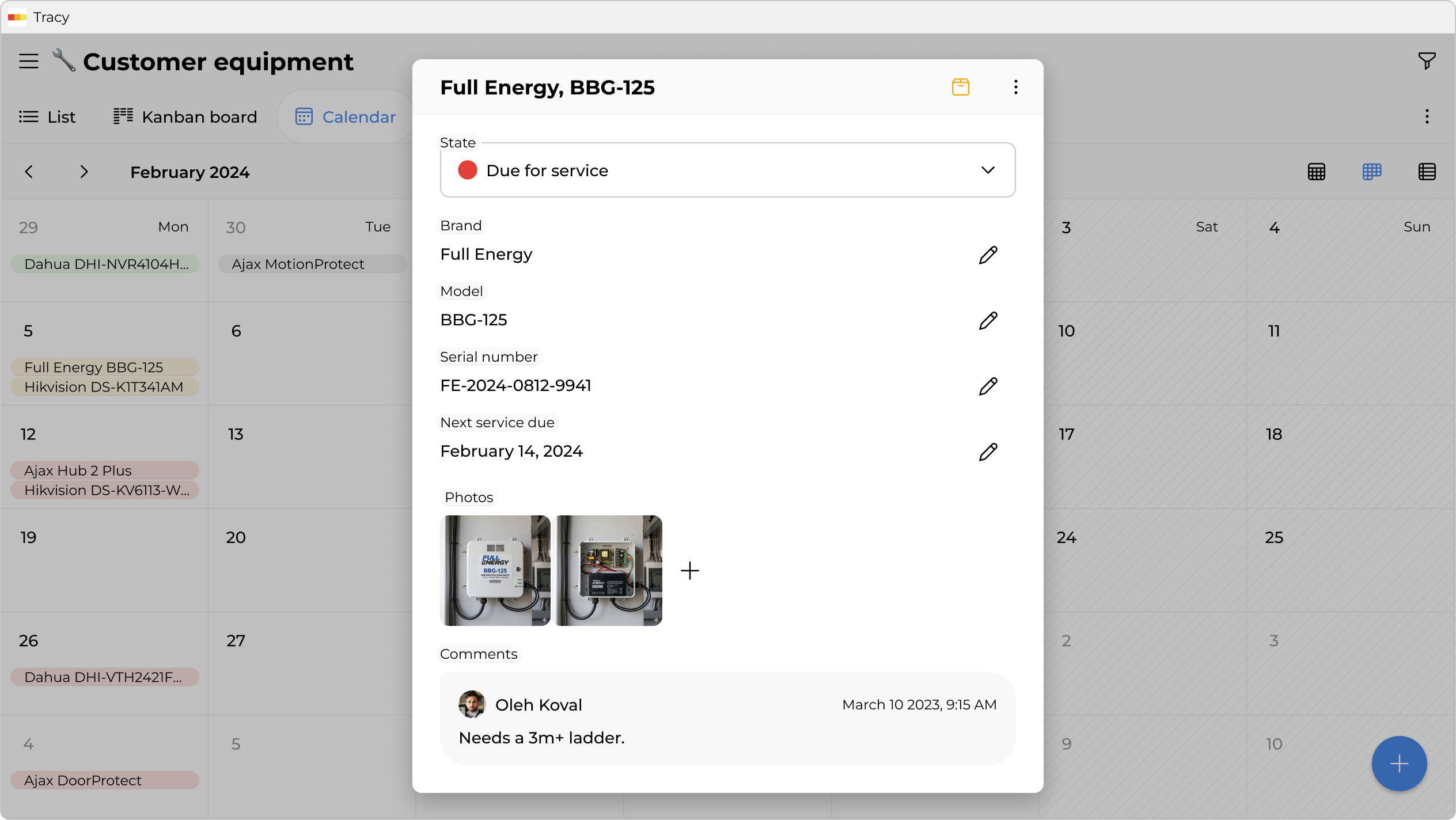
A passport for every camera, sensor, and recorder

A passport for every camera, sensor, and recorder

Model, serial number, installation date, location, photos. The engineer knows everything installed on-site before they even head out.
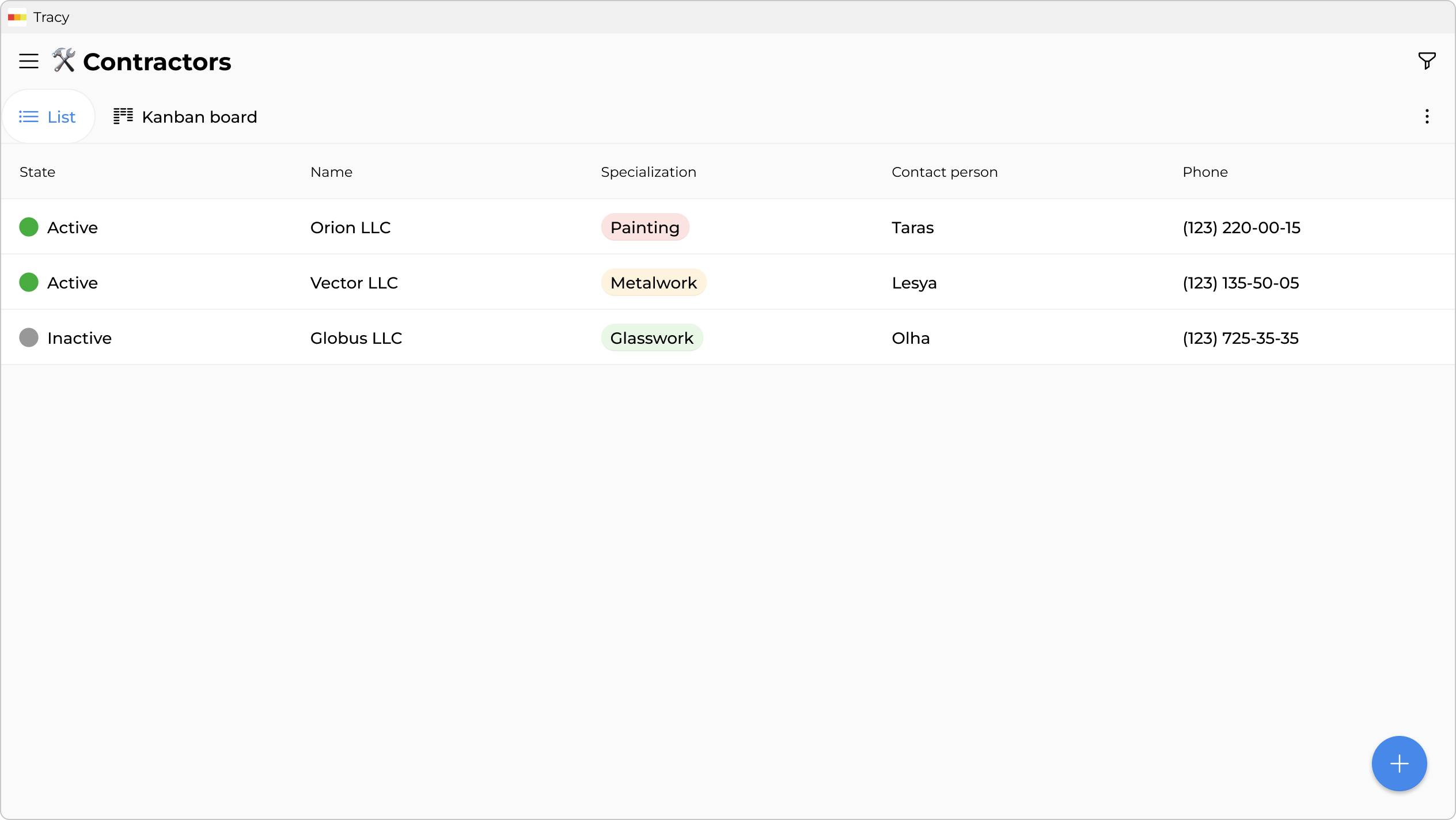
Equipment suppliers and monitoring stations

Equipment suppliers and monitoring stations

A database of subcontractors and suppliers with contacts and terms. Each one linked to a ticket—delivery deadlines, quality, and payments under control.
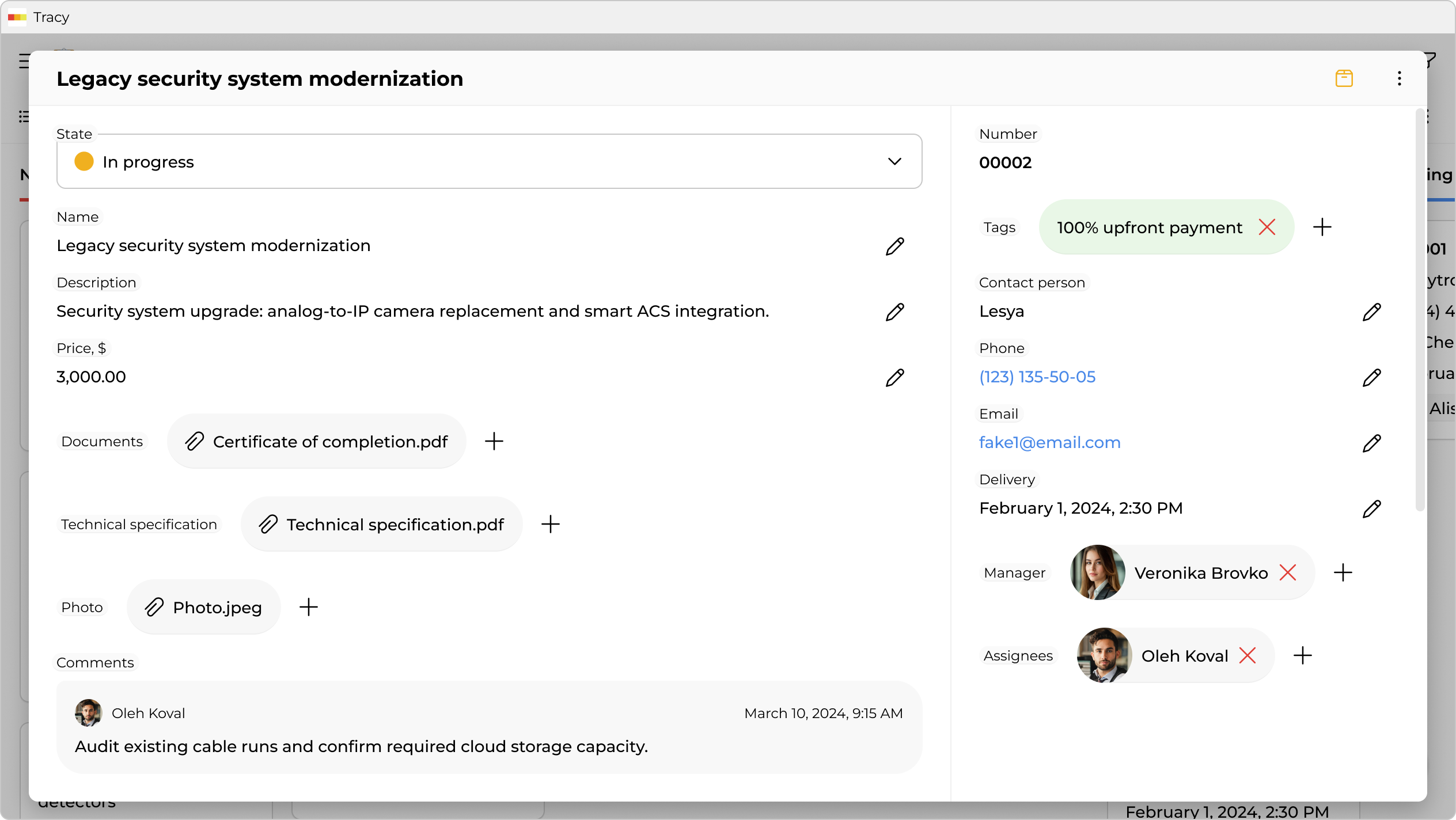
Everyone sees and edits only what they need

Managers see all tickets and clients. Service engineers see only their own visits with the project, on-site equipment, and photo reports. Installers see their tickets at the installation stage with drawings and exact location. Prices and contracts stay hidden from engineers and installers. No risk of anyone seeing or changing what they shouldn’t—whether on purpose or by accident.
Try now for free
Manager
Manager

Ready-made template for security system service

Start right away—and adjust to your needs as you go.

Step-by-step setup guide

1
Sign up
Click “Try for free” and create a workspace.
2
Invite your team
Review roles (positions) and invite your colleagues—managers, designers, installers.
3
Try it out
Enter your first orders and work with it for a few days.
4
Make it yours
Adjust the app to fit your needs—add fields, stages, or roles.

Quick start, no hard learning

A simple interface, accessible to everyone. Your team will master it in days—not months.

Oleksandr Maksymenko, Eleos-Ukraine
“We quickly adopted Tracy thanks to its broad functionality, flexible settings, and user-friendly interface, whereas other solutions turned out to be too complex and time-consuming to implement.”
Oleksandr Maksymenko
Eleos-Ukraine
Olesia Zhuravliova, GS-active online store
“After many attempts with spreadsheets and different CRMs, I finally found the solution with Tracy that fully covers my needs for managing product exchanges. The interface is convenient and intuitive—we got used to it in just 2–3 days. I’m so glad I found you 🫶”
Olesia Zhuravliova
GS-active online store
Andrii Puzanov, RBC-Ukraine
“We’ve been planning content for our YouTube channel in Tracy for almost half a year and are very satisfied with the results. The tool has helped us structure the team’s workflow, improve process efficiency, align topics faster, and keep tighter control over deadlines.”
Andrii Puzanov
RBC-Ukraine

Simple tariffs that differ
only in the amount of resources

There are no other limitations. Start with free and upgrade later when needed.

Free
$0 / month
up to 3 users
up to 250 records
up to 1 automation
up to 500 MB of storage
Small
$9 / month
up to 6 users
up to 1 000 records
up to 3 automations
up to 3 GB of storage
Medium
$49 / month
up to 12 users
up to 50 000 records
up to 6 automations
up to 100 GB of storage
Large
$99 / month
unlimited users
up to 1 000 000 records
up to 12 automations
up to 250 GB of storage
Try now for free

Easy to use on different devices

Tracy for browser

Have a question?

Drop us a message—we’ll gladly respond or set up an online call.

Open chat