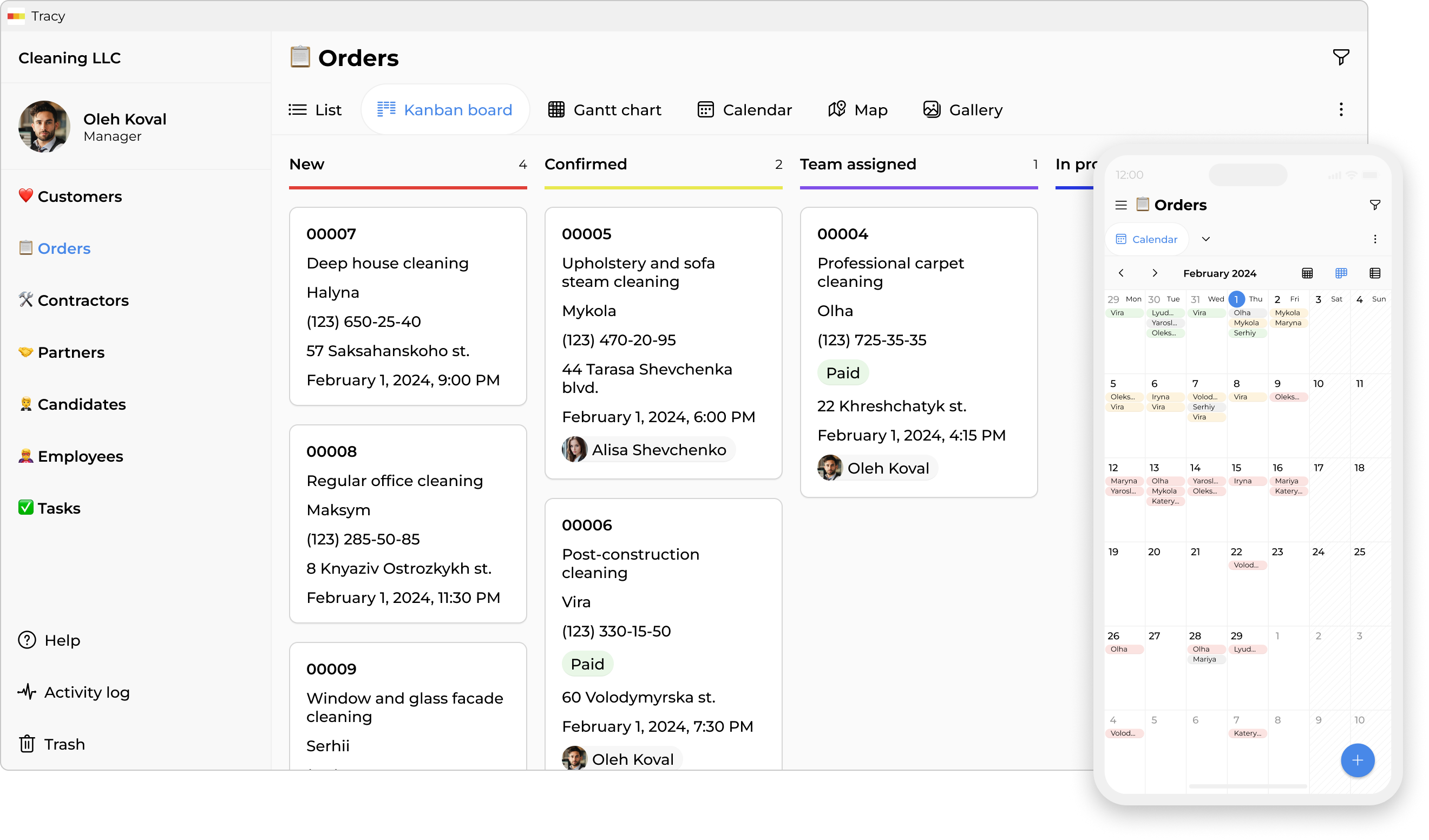
App for cleaning management

Clients, orders, and photo reports—all in one place. Mobile app for staff.
App for cleaning management

Without a system—it’s the same thing every day

Orders scattered across chats and calls

Regulars use Viber, new leads hit Instagram, others call directly. Every morning is a 30-minute puzzle: who’s going where and with what gear.

No visibility into team location or progress

You have to call the lead just to get a status update. When a client asks if the team will arrive on time, you can’t say for sure.

Staff leaves, and site details vanish

Key locations, carpet care tips, office quirks—it all lived in one head. The new hire starts from scratch, and the client has to repeat themselves.

Client complains about quality, but there’s no proof

Missed dust or a missed shift? Without photos or checklists, you’re forced to take their word for it—and pay for it with discounts.

CRM—clients and orders under control
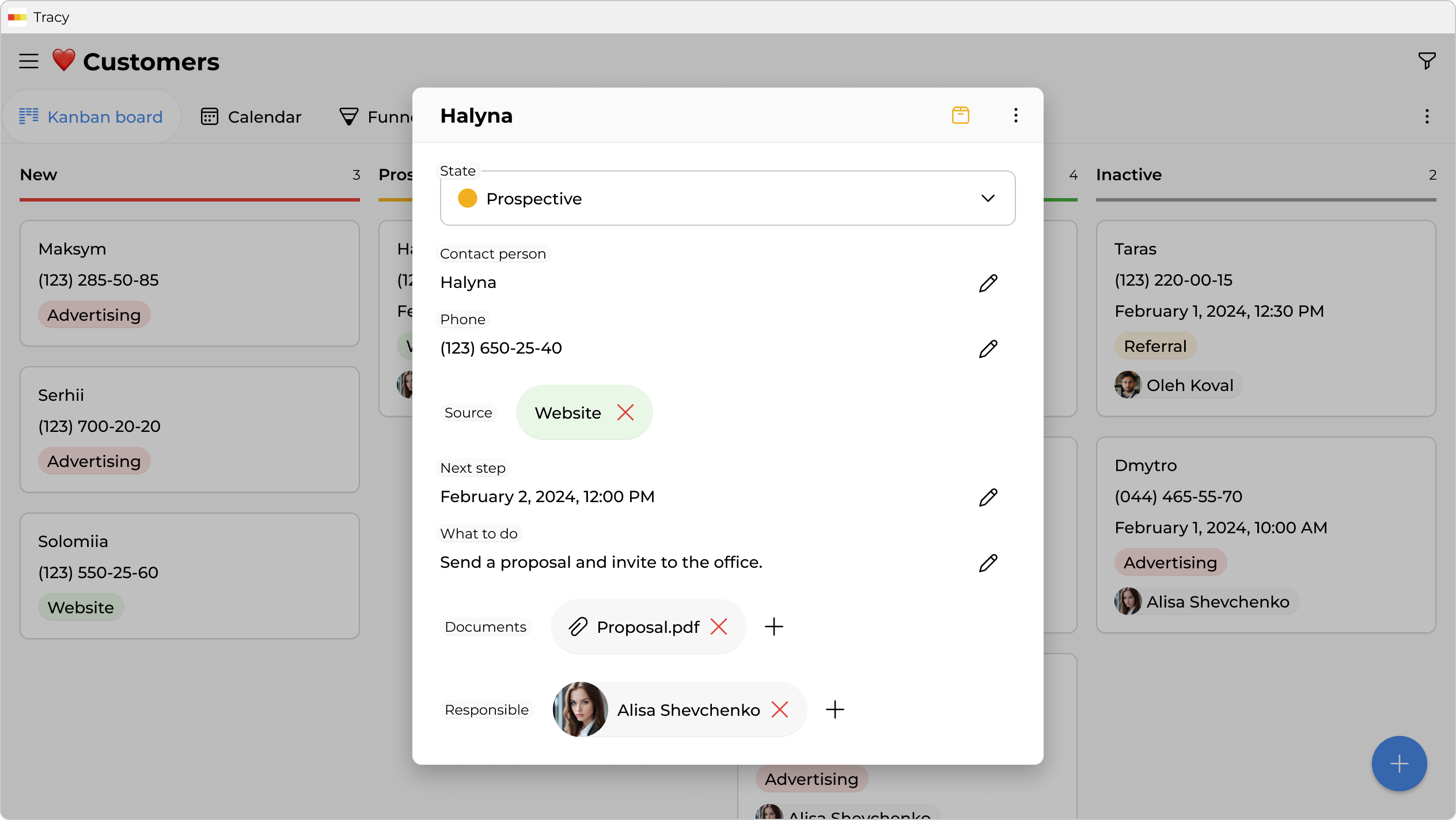
Client database with order history

Client database with order history

Private clients, offices, restaurants, stores, HOAs—all your data stays yours and is always at hand. Regular and VIP clients clearly tagged.
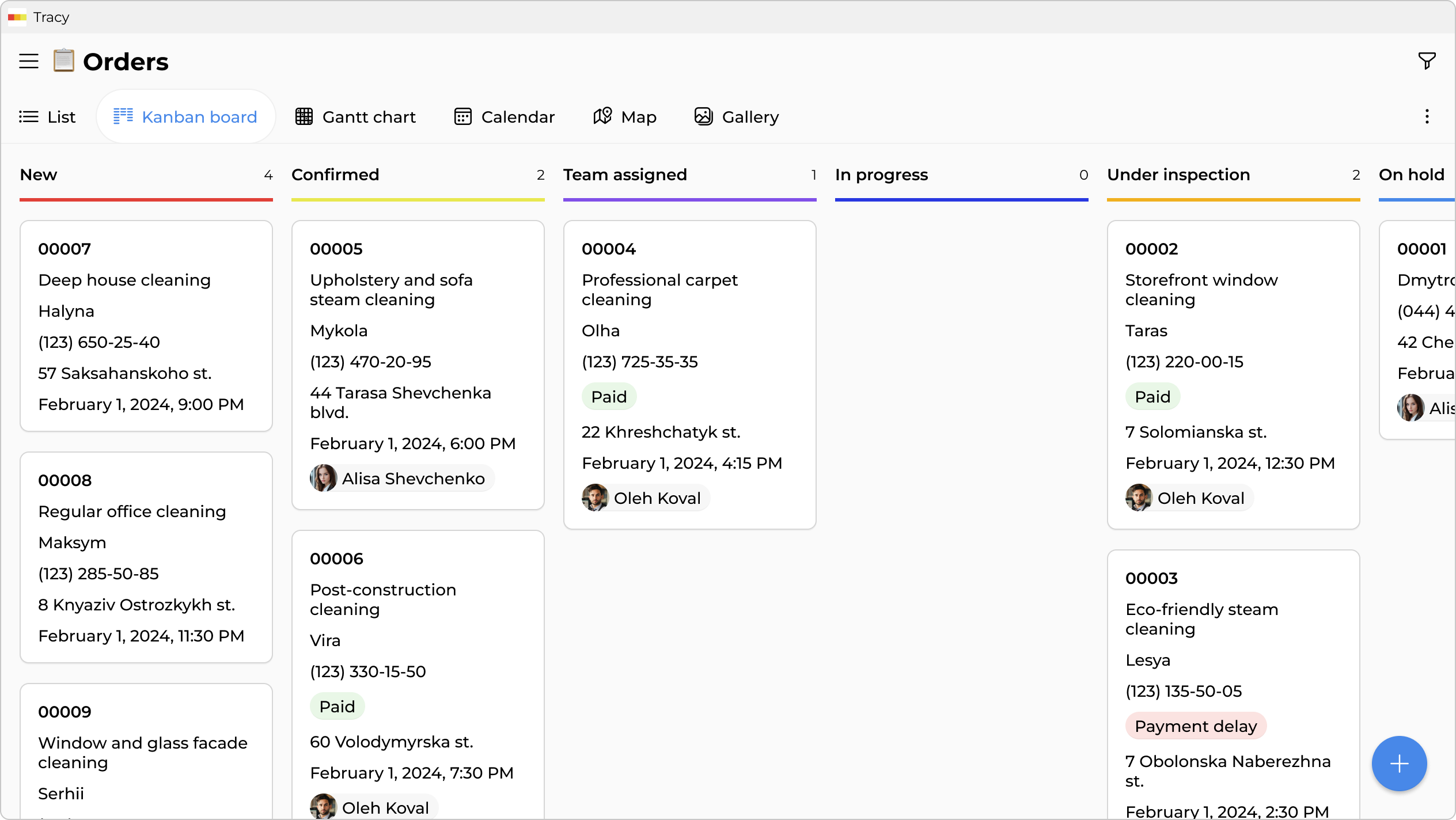
All orders—on one board

All orders—on one board

Regular, deep, post-renovation, window cleaning—all by stage. You see what’s confirmed, which team is assigned, and what’s already in progress.
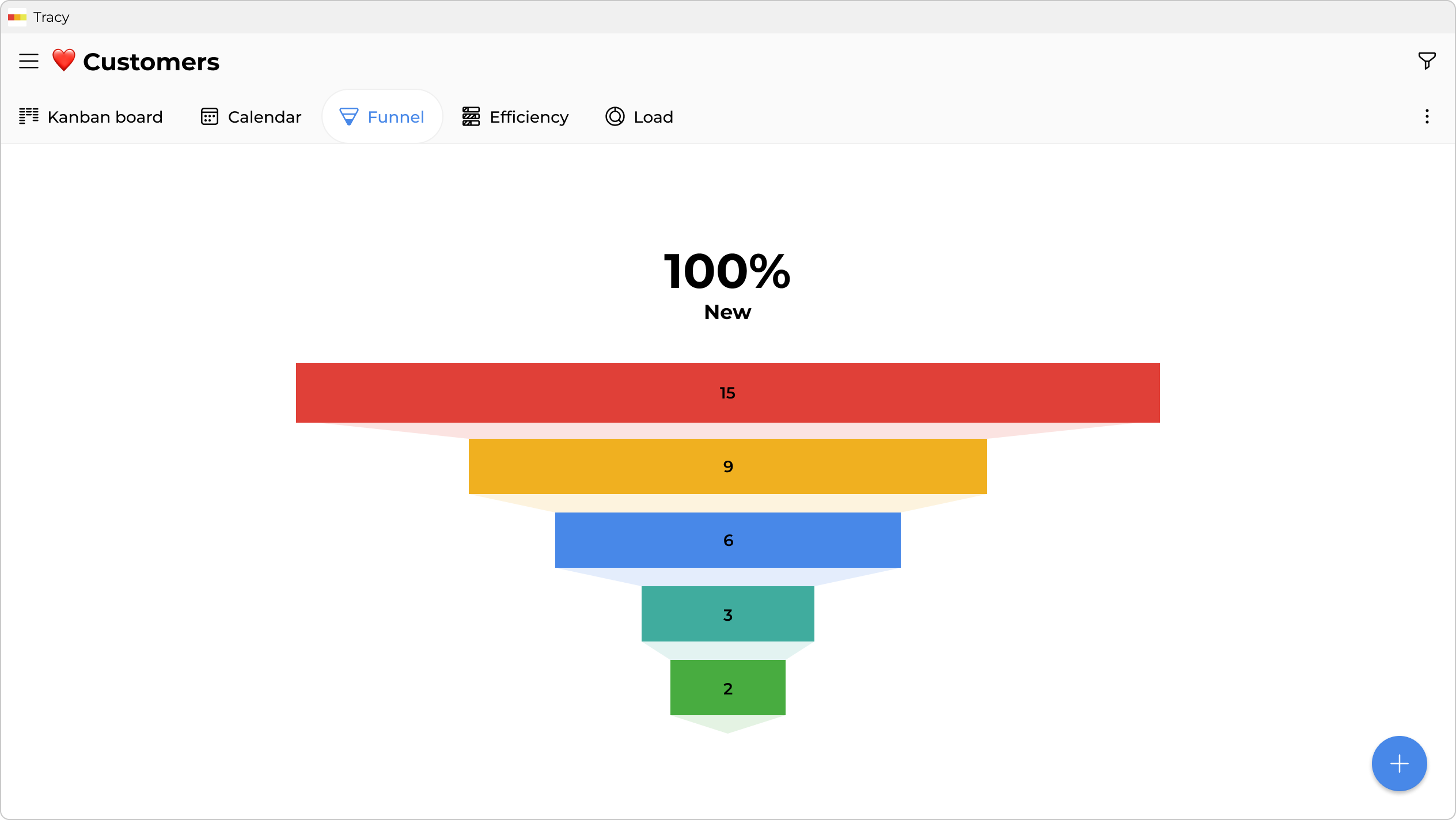
Sales funnel

Sales funnel

The full picture of your sales: how many clients are at each stage and which managers close more deals.

Team on-site—everything they need on their phone
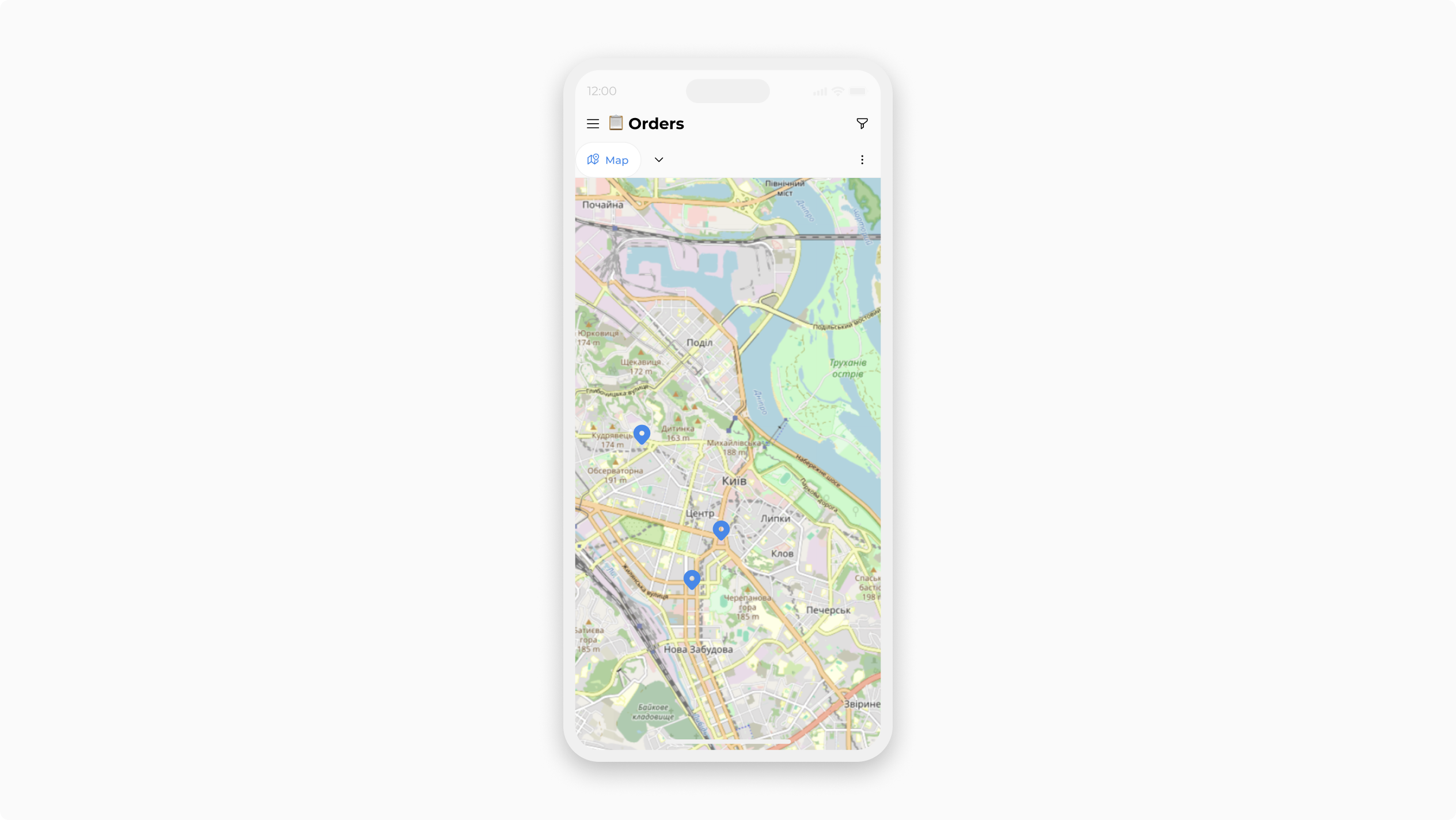
All orders on a map

All orders on a map

Exact location of each site, a convenient route between them, and client contacts—right on the team leader’s phone.
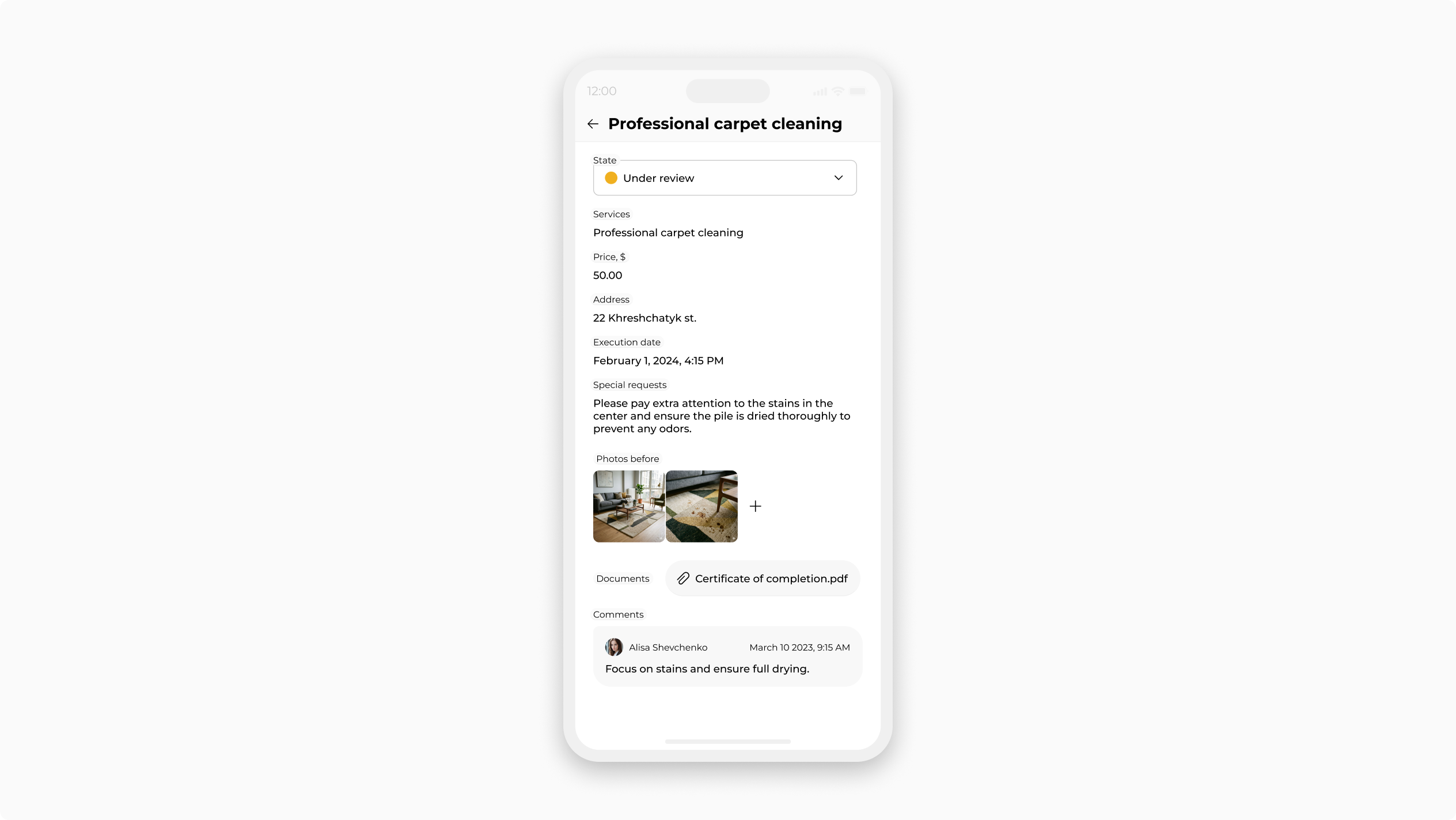
List of services, duration, special requests

List of services, duration, special requests

Allergies, pets, where the keys are, the client’s preferred products—all in the order card. A new team knows the details before arriving; the client feels remembered.
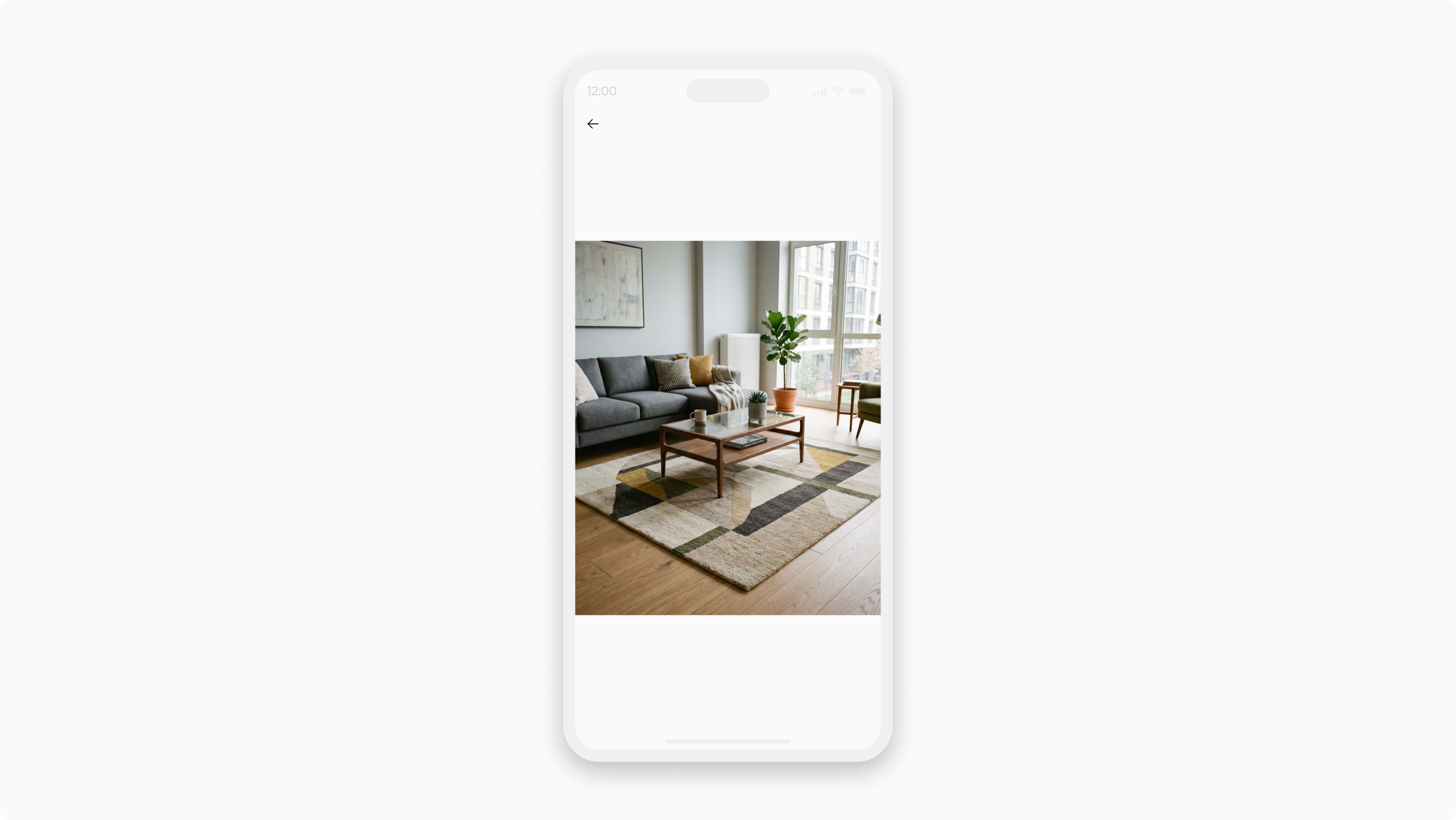
“Before” and “after” photos—right in the order

“Before” and “after” photos—right in the order

The team leader takes photos before starting and after finishing. The client sees the result, you have proof of quality for any dispute.

Planning, teams, and portfolio
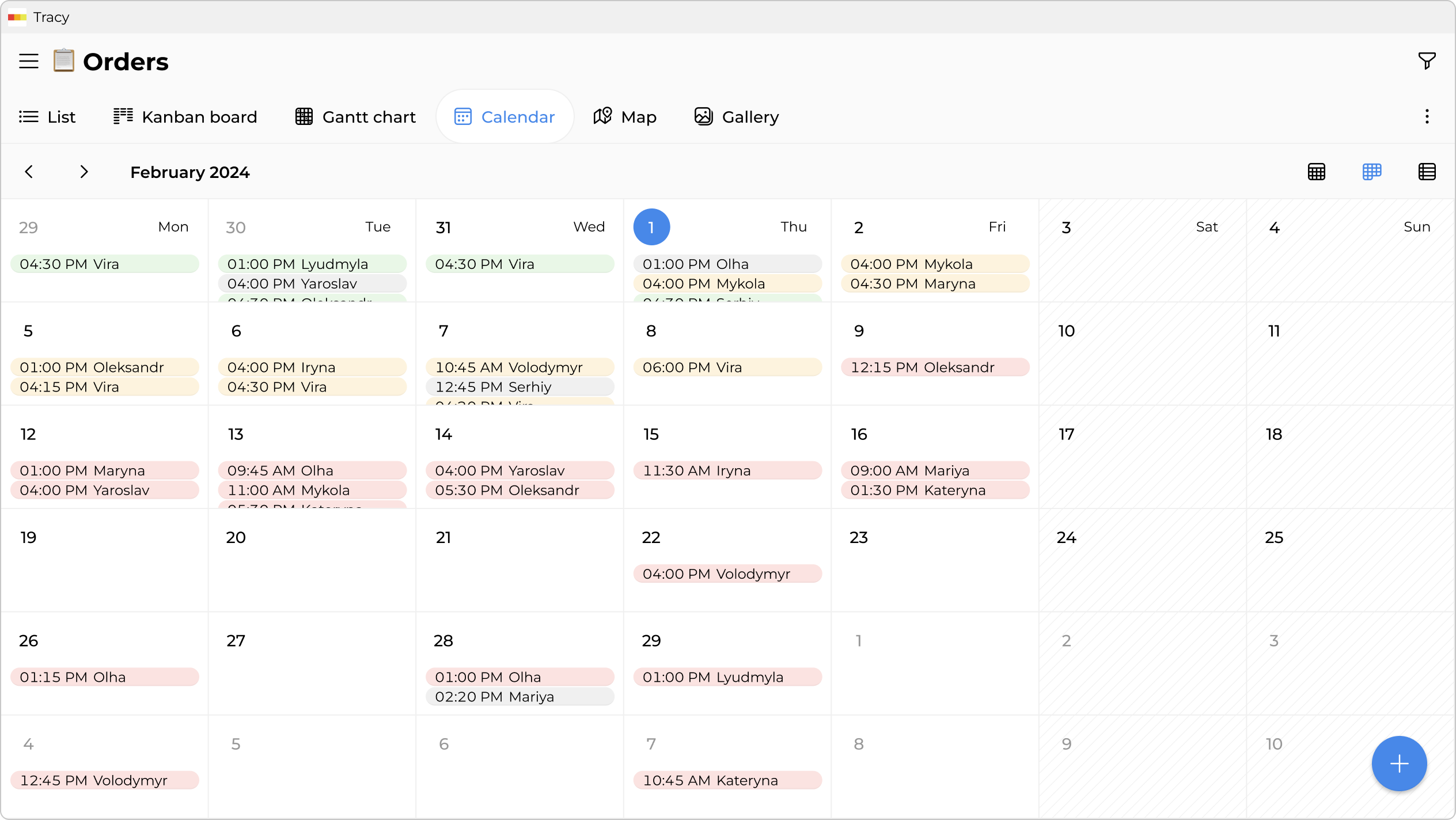
Order calendar and team schedule

Order calendar and team schedule

See who’s going where and when, which teams are free, and where you can squeeze in an urgent order.
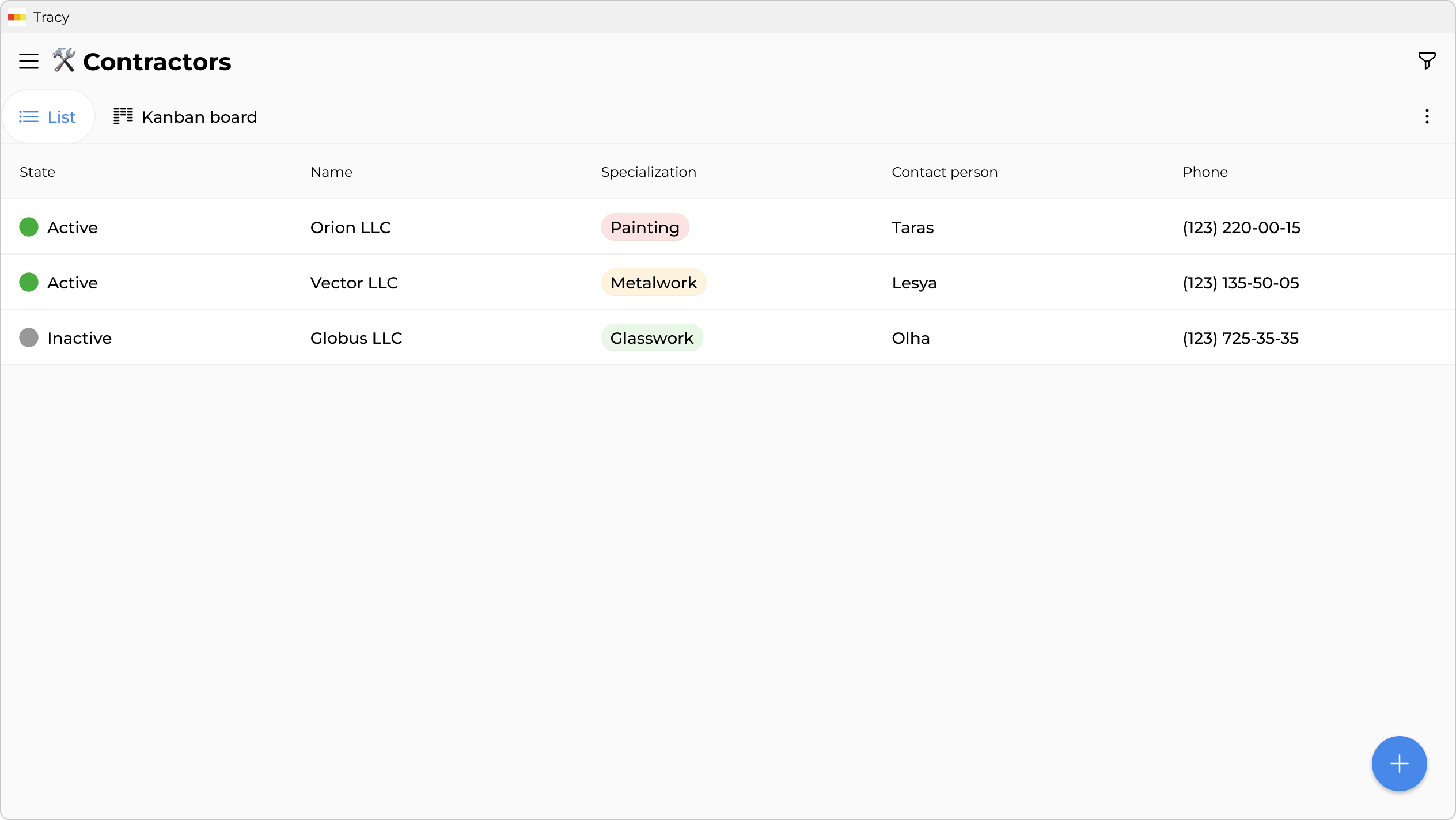
Subcontractors and suppliers at hand

Subcontractors and suppliers at hand

Upholstery cleaning, facade washing, rope-access work, cleaning supplies⁠—a database with contacts and terms. Each one linked to an order.
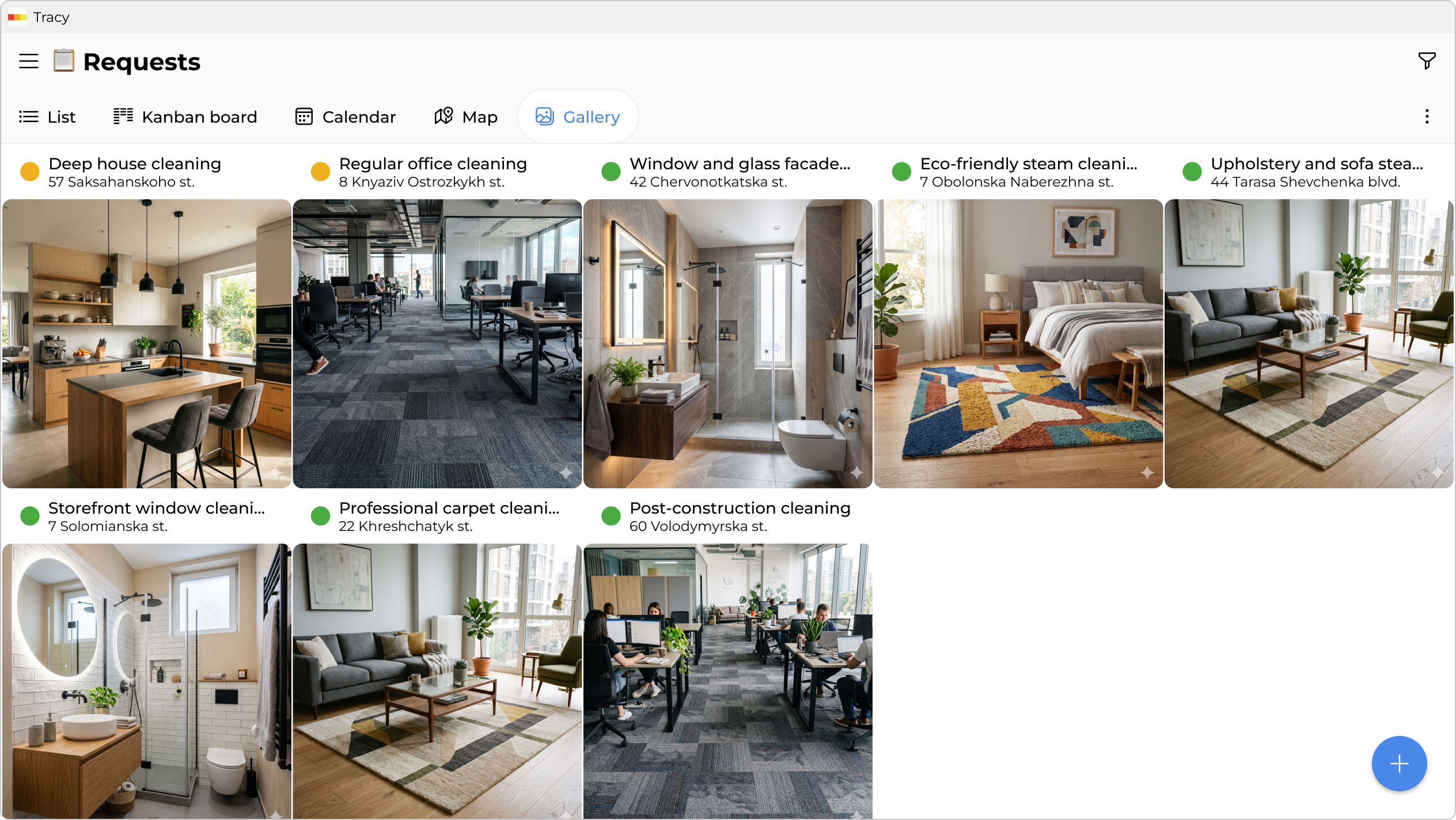
Gallery of completed jobs

Gallery of completed jobs

“After” photos organized by cleaning type. A handy way to show new clients your past work—especially for offices, restaurants, and post-renovation apartments.
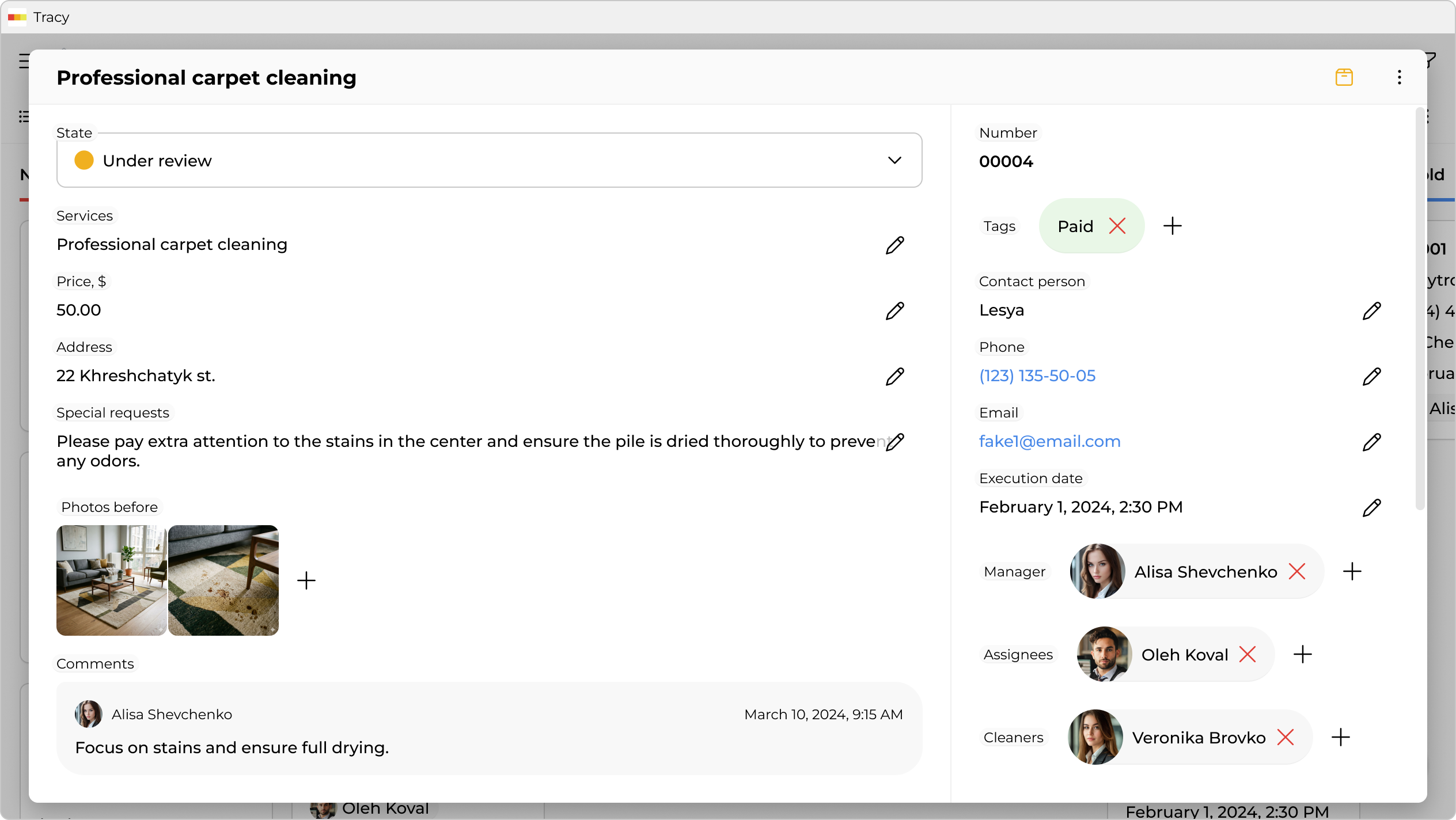
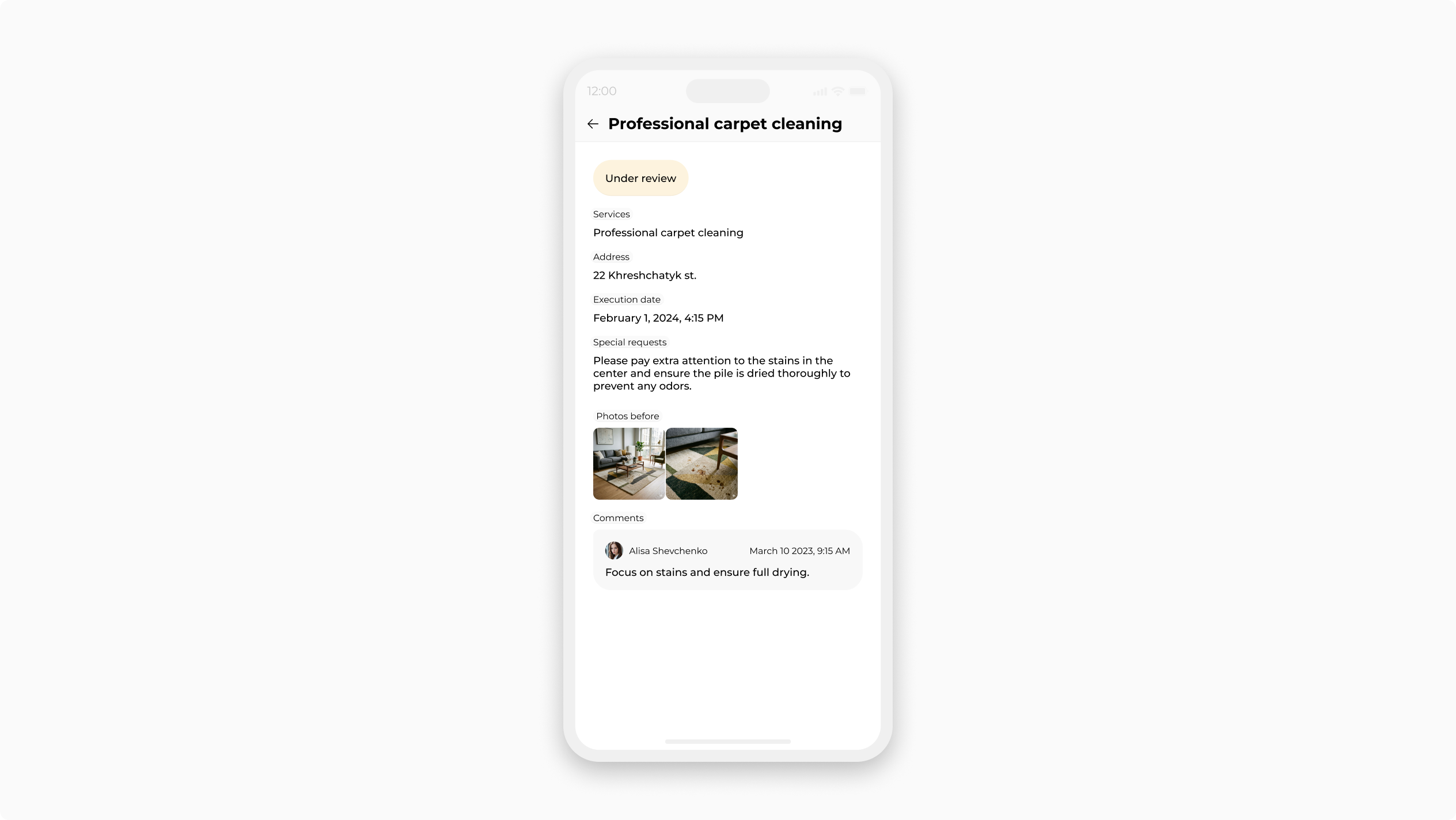
Everyone sees and edits only what they need

Managers see all orders and clients. Team leaders see only their own visits with address, services, and special requests, and upload photo reports. Cleaners see the day's task list and basic site info. Prices, contracts, and client contacts stay hidden from cleaners. No risk of anyone seeing or changing what they shouldn’t—whether on purpose or by accident.
Try now for free
Manager
Team leader
Cleaner
Manager
Team leader
Cleaner

Ready-made template for cleaning

Start right away—and adjust to your needs as you go.

Step-by-step setup guide

1
Sign up
Click “Try for free” and create a workspace.
2
Invite your team
Review roles (positions) and invite your colleagues—managers, designers, installers.
3
Try it out
Enter your first orders and work with it for a few days.
4
Make it yours
Adjust the app to fit your needs—add fields, stages, or roles.

Quick start, no hard learning

A simple interface, accessible to everyone. Your team will master it in days—not months.

Oleksandr Maksymenko, Eleos-Ukraine
“We quickly adopted Tracy thanks to its broad functionality, flexible settings, and user-friendly interface, whereas other solutions turned out to be too complex and time-consuming to implement.”
Oleksandr Maksymenko
Eleos-Ukraine
Olesia Zhuravliova, GS-active online store
“After many attempts with spreadsheets and different CRMs, I finally found the solution with Tracy that fully covers my needs for managing product exchanges. The interface is convenient and intuitive—we got used to it in just 2–3 days. I’m so glad I found you 🫶”
Olesia Zhuravliova
GS-active online store
Andrii Puzanov, RBC-Ukraine
“We’ve been planning content for our YouTube channel in Tracy for almost half a year and are very satisfied with the results. The tool has helped us structure the team’s workflow, improve process efficiency, align topics faster, and keep tighter control over deadlines.”
Andrii Puzanov
RBC-Ukraine

Simple tariffs that differ
only in the amount of resources

There are no other limitations. Start with free and upgrade later when needed.

Free
$0 / month
up to 3 users
up to 250 records
up to 1 automation
up to 500 MB of storage
Small
$9 / month
up to 6 users
up to 1 000 records
up to 3 automations
up to 3 GB of storage
Medium
$49 / month
up to 12 users
up to 50 000 records
up to 6 automations
up to 100 GB of storage
Large
$99 / month
unlimited users
up to 1 000 000 records
up to 12 automations
up to 250 GB of storage
Try now for free

Easy to use on different devices

Tracy for browser

Have a question?

Drop us a message—we’ll gladly respond or set up an online call.

Open chat