Monday.com or Tracy: Which System to Choose for Small Business
You’ve googled “how to get orders under control”, read reviews, and sooner or later came across Monday.com. Slick interface, lots of features, big brand names in the testimonials. Looks like exactly what you need.
But then you open it—and realize you first need to figure out how it’s structured. Then set up the boards. Then explain it to the team. And some features you actually need turn out to be on a more expensive plan.
In this article we compare Monday.com and Tracy—another tool that also lets you manage orders, oversee your team, and give clients access to their requests. But with a different logic: fewer settings, clear role-based access, and a mobile app where a technician or courier immediately sees only their own work.
By the end of this article you’ll know which tool fits your business better—and why.
What Monday.com Is and Where It Shines
Monday.com is a flexible work management platform. Boards, automations, integrations with 200+ services, dashboards, Gantt charts, kanban, forms—all of it is there and widely configurable.
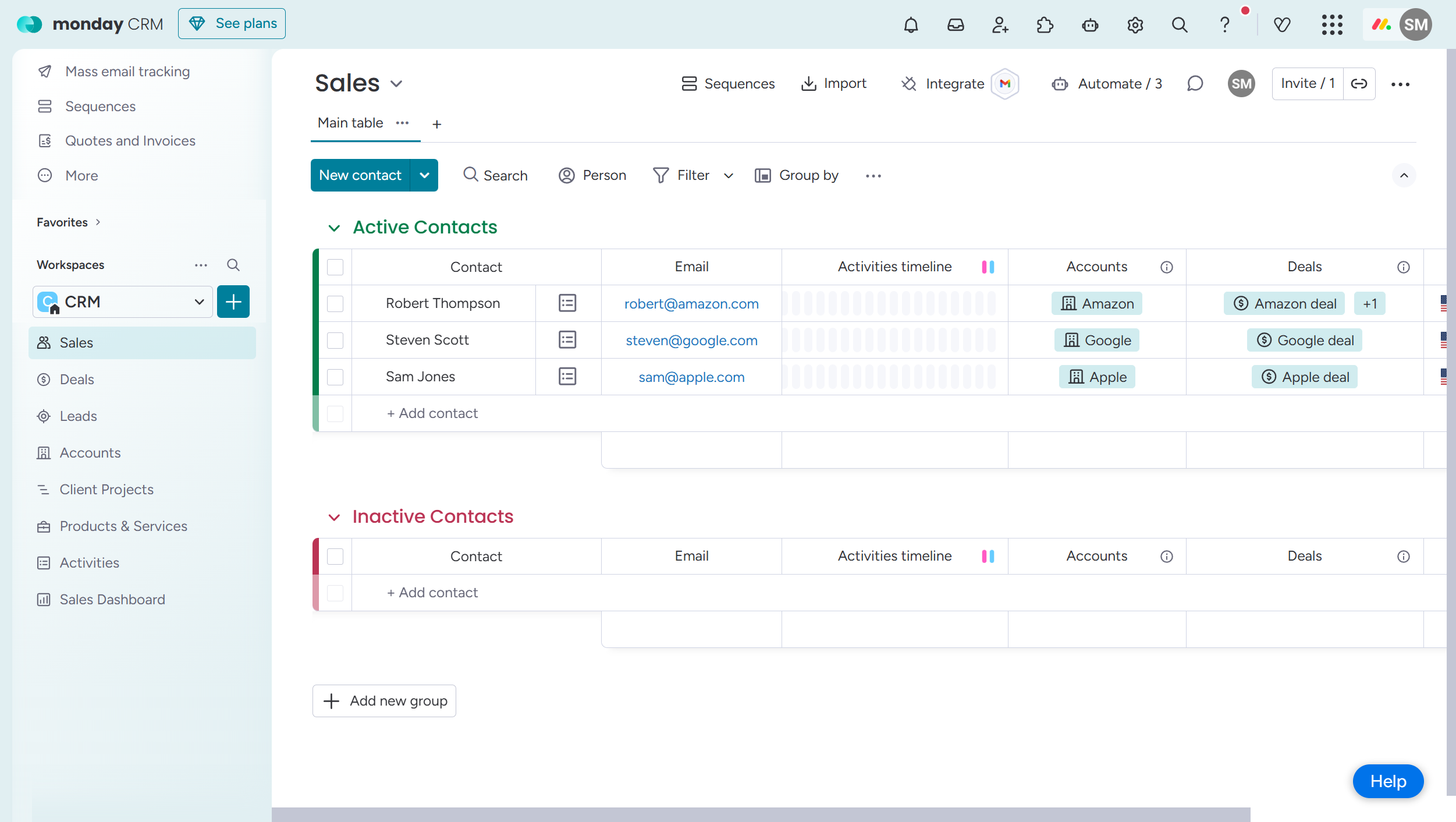
Monday.com works well when:
- your team does project work: marketing campaigns, product development, launches;
- you need to consolidate data from multiple departments into one dashboard;
- integrations with external services matter: Slack, Google, Jira, Salesforce;
- your team is technically savvy and willing to invest time in configuration.
It’s a mature, feature-rich product with a large ecosystem. But there are a few “buts” worth knowing before you start.
What’s Not Ideal About Monday.com for Operations Businesses
Complexity and price floor. Monday.com requires a minimum of 3 paid seats—even if you only have 1–2 active managers. Automations start only on the Standard plan, column permissions only on Pro, and advanced role management with locked workspaces only on Enterprise. To get full access control you need at least Pro (~$19/month per user), and some features require Enterprise with custom pricing.
Complex setup. This is a recurring complaint in real reviews: “you open the platform and spend more time on configuration than on actual work”. Some small companies have spent $14,000–20,000 on implementation and consultants. Monday’s flexibility is also its biggest problem for small and mid-sized businesses: too many options where a simple, clear structure is what’s needed.
Field-level permissions aren’t built in. Monday lets you restrict viewing or editing of individual columns—but it’s a manual configuration per column, with no link to the order stage. There’s no built-in logic of “at this stage these fields are available, at the next stage—different ones”. You have to build that yourself or buy a third-party add-on.
Mobile experience for field workers. Monday has a mobile app, but it mirrors the desktop interface with all boards, groups, tabs, and settings. Great for a manager at a laptop—overwhelming for a technician or courier in the field.
Tracy: A Different Logic from the Start
Tracy is built around a simple idea: there is an order card, it moves through stages, and at each stage every person sees exactly what they need to do their job.
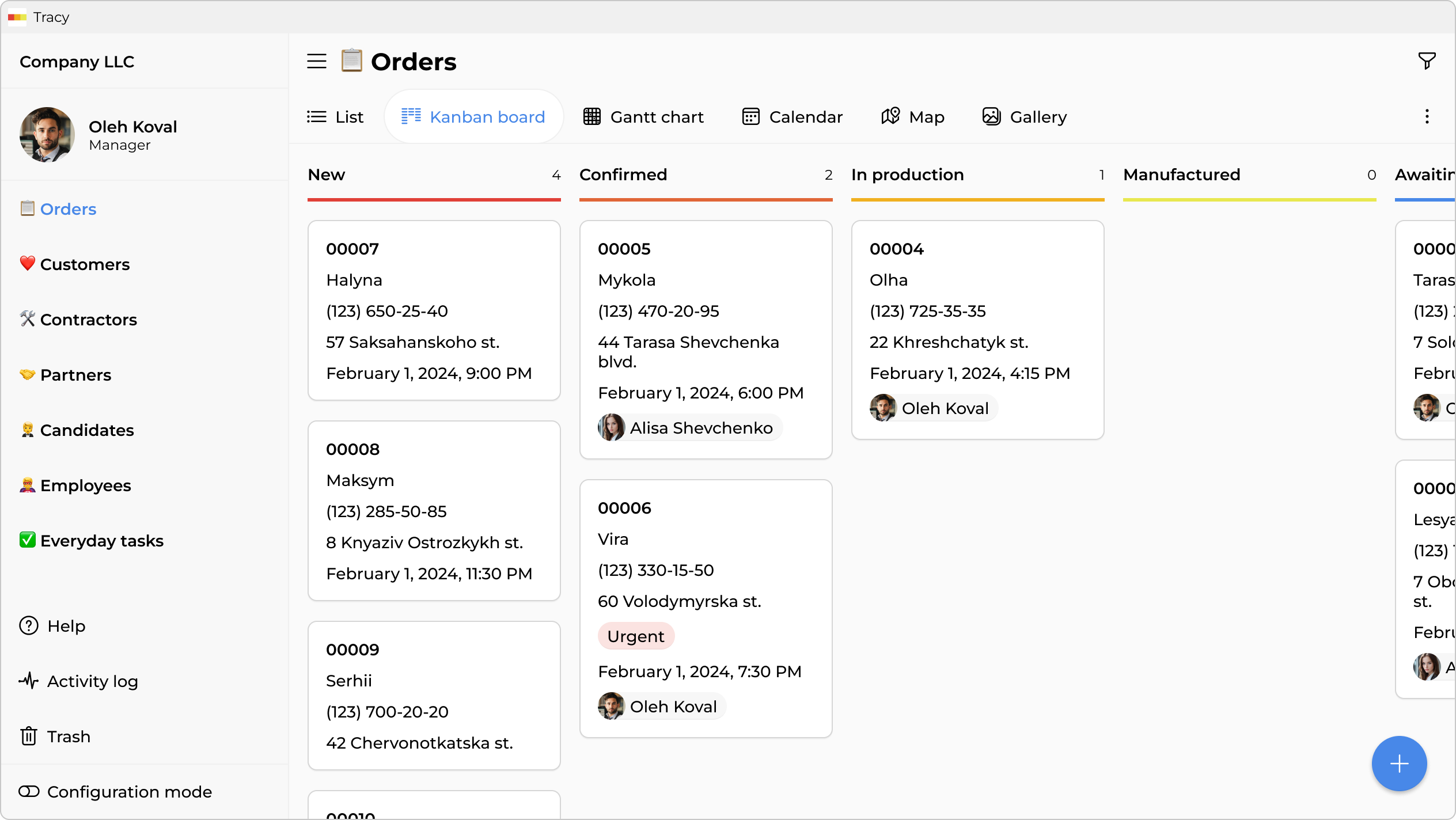
This is not a simplified version of Monday. It’s a different approach—built specifically for operations businesses with repeating processes.
Access That Changes with the Stage
The key difference between Tracy and Monday (and most other tools) is that access is tied to both role and order stage simultaneously.
Imagine an AC repair service. An order card moves through five stages: new request → technician assigned → site visit → completed → closed.
Here’s how it looks in practice:
| Field | Owner | Manager | Technician | Client (Guest) |
|---|---|---|---|---|
| Client name & address | ✓ edits | ✓ edits | ✓ views | ✓ views |
| Client phone | ✓ edits | ✓ edits | ✓ views | — |
| Cost of work | ✓ edits | ✓ views | — | — |
| Cost price & margin | ✓ edits | — | — | — |
| Manager comments | ✓ edits | ✓ edits | — | — |
| Fault description | ✓ edits | ✓ edits | ✓ edits | ✓ views |
| Post-repair photos | ✓ views | ✓ views | ✓ uploads | ✓ views |
| Payment status | ✓ edits | ✓ views | — | ✓ views |
The manager cannot edit a closed order—the fields simply become non-editable at the “Closed” stage. Nothing needs explaining, nothing needs extra configuration—it’s the built-in stage logic.
In Monday you can achieve a similar result, but it requires a set of manual settings on each column, with no dynamic link to the stage. A column is either always hidden from a role or always visible—regardless of what stage a specific order is at.
Guest Access Without the Noise
In Tracy you can send a client a link to their order. They’ll see only the fields you’ve chosen to share: for example, completion status, technician name, and payment confirmation. Nothing about the cost of work, other clients, or internal comments.
In Monday guest access exists, but the client sees the board with all columns that haven’t been manually blocked. That means extra manual work to configure and a risk of mistakes.
Simpler Doesn’t Mean Less Capable
A common misconception about Tracy: “if it’s simpler, it must have fewer features”. In reality, Tracy supports 25+ field types, kanban, Gantt, calendar, map, performance analytics, timesheets, basic automations, API and export—all available from the start.
Onboarding a New Employee
This is one of the most practical points for operations businesses with staff turnover. A new technician or courier opens their phone and sees: two orders for today. Address, time, what to do, a “Done” button. Nothing extra.
In Monday a new team member needs to be told which board to open, which columns apply to them, how to filter their tasks, where their clients are. The flexibility that helps a manager becomes a barrier for a field worker.
Key Parameter Comparison
| Parameter | Monday.com | Tracy |
|---|---|---|
| Field-level access | Yes, but manual—no link to order stage | Yes, built-in—tied to role and stage |
| Guest access for clients | Available, but client sees the whole board | Available—client sees only selected fields of their card |
| Mobile app for field workers | Full desktop-style interface | Only what’s relevant to the role |
| Automations | From Standard plan | Included on all plans |
| Column permissions | From Pro plan | Built-in, no plan restrictions |
| Minimum seats | 3 | No minimum |
| Setup time | Days to weeks | A few hours |
| Pricing model | From $9/mo per seat (min. 3), automations from $12 | From $9/mo for the whole workspace up to 6 users |
When to Choose Which
Monday.com fits if:
- you do project work: agencies, IT teams, marketing, product teams;
- you need deep integrations with external tools;
- your team is technically prepared and willing to invest time in setup;
- broad analytics dashboards across multiple departments matter.
Tracy fits if:
- you run an operations business: cleaning, repair, delivery, custom manufacturing, field service;
- the same processes repeat dozens or hundreds of times per month;
- field staff work from phones and have no time to learn an interface;
- you need permissions that automatically change by order stage—without manual configuration;
- clients need access to their own information without seeing anything else;
- straightforward pricing without “traps” in the form of mandatory upgrades matters.
Frequently Asked Questions
Does Monday.com Support Column-Level Access Restrictions for Different Roles?
Yes, column permissions in Monday exist—on the Pro plan and above. You can restrict editing or viewing of a specific column for certain people or teams. However, it’s a manual configuration per column, and it doesn’t change based on stage: if a column is hidden from a manager, it’s hidden at every order status.
In Tracy, permissions are tied to both role and stage. The same field can be editable for a manager at the “In Progress” stage and become non-editable after “Closed”—automatically, with no extra configuration.
Can a Field Worker in Monday See Only Their Own Tasks?
Yes, there is an “Only edit assigned items” mode on the Pro plan. But the person still sees the entire board—they just can’t edit other people’s rows. Filtering your own tasks in the mobile app is also possible, but it requires setup and explanation.
In Tracy, a field worker opens the app and immediately sees only their own orders. It’s built-in system logic and straightforward to configure.
How Does Access Differ Between Owner, Manager, and Technician in Tracy?
Each role is configured individually per field and per stage. Typically: the owner sees and edits everything. The manager sees all active orders, can edit them until the “Closed” stage, but doesn’t see cost price, for example. The technician sees only their own orders, only at active stages, and only the fields needed for the job—address, task description, ability to upload photos. This is configured once at the start and then runs automatically for every new order.
Does Monday.com Offer Guest Access for Clients?
Yes, there are Shareable boards—boards where external people can be invited via link or email. But the client lands on the full board and sees all columns that haven’t been manually blocked. A separate “client view” with selected fields from their specific card isn’t built in. It requires either manually hiding columns for each guest, or creating a separate board.
In Tracy, the client receives a link to their specific order card and sees only the fields you’ve permitted: for example, status, technician’s estimated arrival, and payment confirmation.
Is Monday Expensive? What Does It Actually Cost for a Team of 8?
Monday.com charges for a minimum of 10 seats (the next “bucket” after 5). On the Pro plan for 10 seats that’s ~$19 × 10 = $190/month on annual billing. If you need custom roles, locked workspaces, or enterprise automations—that’s Enterprise with custom pricing.
Tracy for 8 people—the Medium plan at $49/month: up to 12 users, unlimited roles and permissions, automations included.
Is Tracy Difficult to Set Up for a Specific Business?
Tracy provides ready-made templates for specific business types: cleaning, field service, logistics, custom manufacturing. The template already includes the necessary stages, fields, and basic access settings—you can use it as a starting point and adjust to fit your needs.
 Dmytro Sikorskyi