Theme, Language, and Time Zone
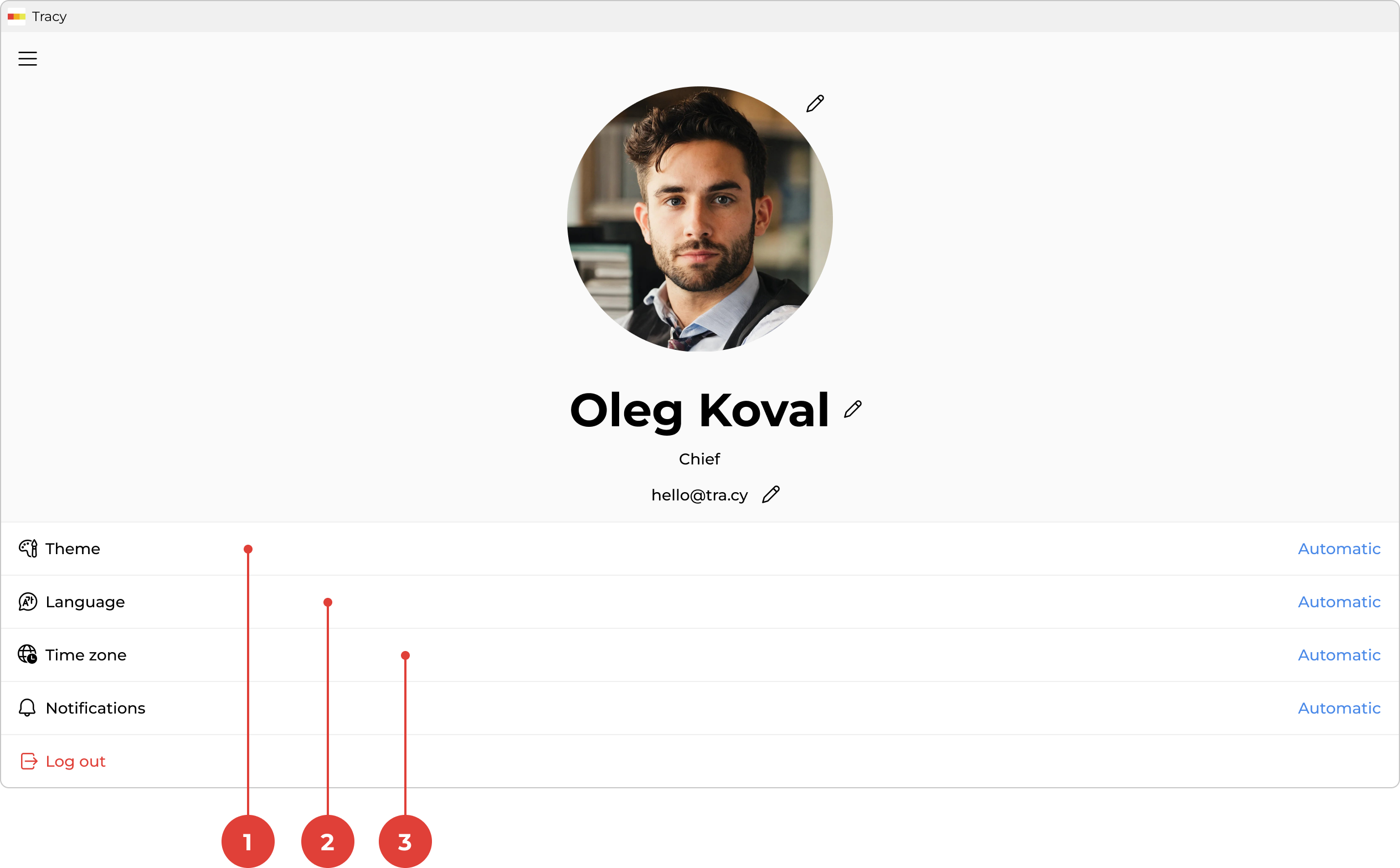
To change the theme, language, or time zone, first go to the profile screen by clicking your name in the sidebar.
Theme
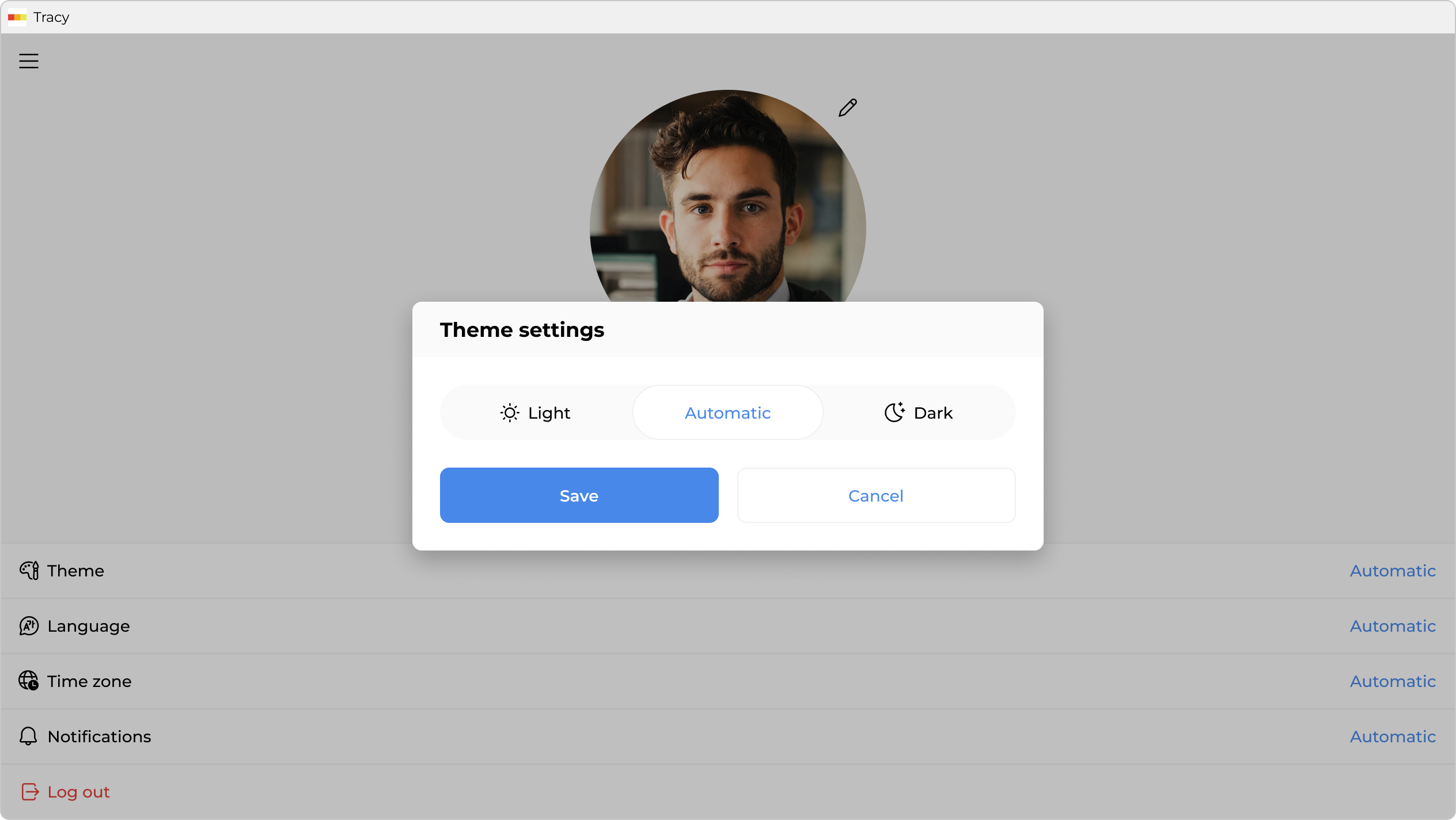
By default, the color theme is determined automatically. To change it, click “Theme” ①, select the desired option in the window that opens—“Automatic”, “Light”, or “Dark”—and click “Save”.
Language
By default, the interface language is determined automatically. To change it, click “Language” ②, select the desired option in the window that opens, and click “Save”.
Time Zone
By default, the time zone is determined automatically. To change it, click “Time Zone” ③, select the desired option in the window that opens, and click “Save”.