Notion and Tracy for Small Business: Two Products, Two Approaches
Both products let you organize team operations without developers—but they do it differently, and for different situations. This article breaks down when each one fits best.
What Notion Is and Where It Shines
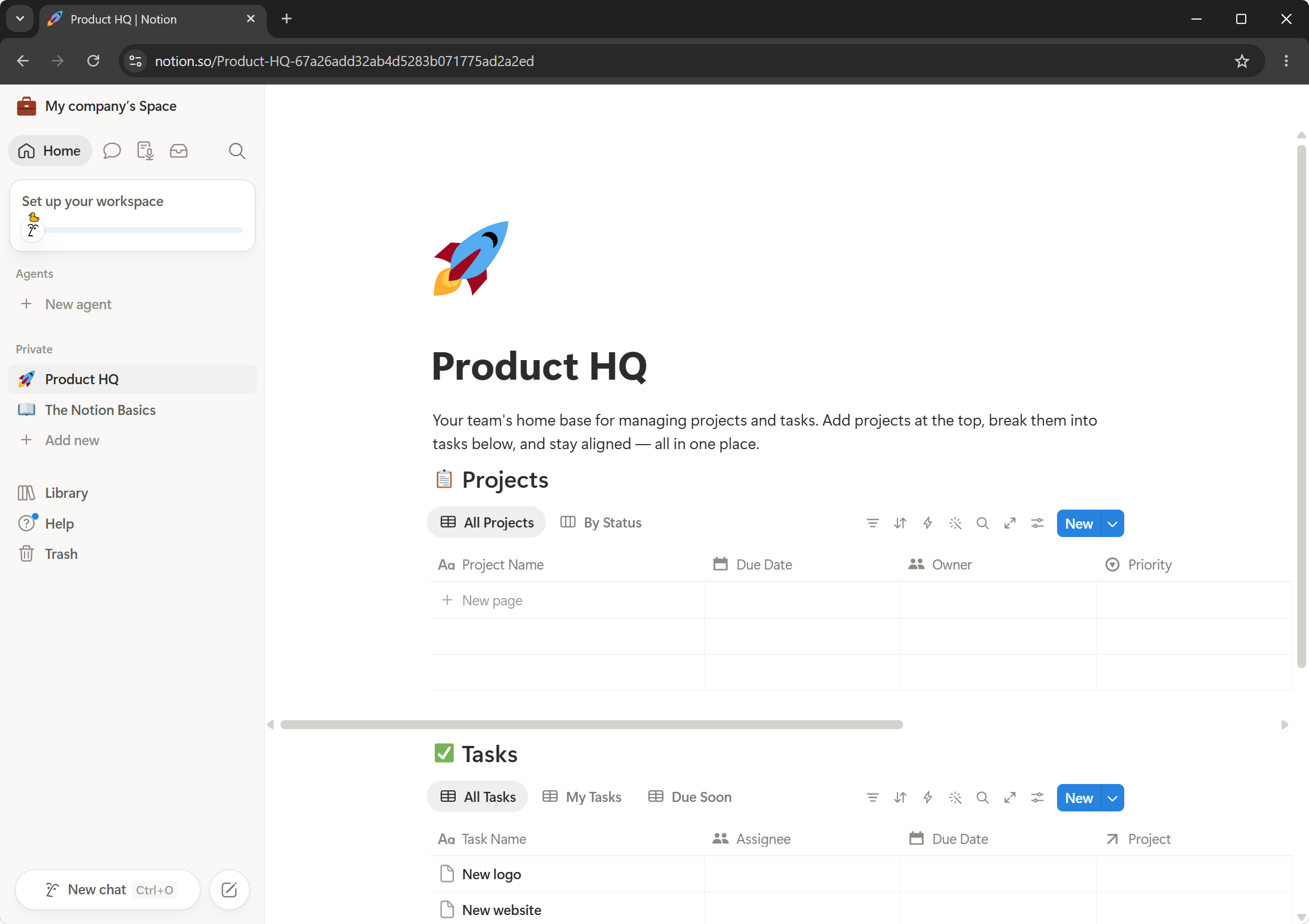
Notion is, above all, a powerful document editor. On a single page you can combine anything: headings, text, video, images, tables, Kanban boards, databases—in any order you like. That freedom is what makes it popular for documentation, knowledge bases, content calendars, internal wikis, and personal planning.
Notion works well when:
- you need to store diverse information: SOPs, training materials, brainstorms, product roadmaps;
- your team is small, or you simply want one place for everything;
- processes vary each time and rigid structure would get in the way;
- flexibility matters: a table today, a kanban from the same data tomorrow.
It gives you a blank page and complete freedom. For people who know how to use that—it’s a genuine advantage.
When a Business Outgrows Notion
Imagine a cleaning company. Or an AC-repair service center. Every day brings new orders. Each one follows the same path: request received → technician assigned → site visit → work done → closed → payment collected.
In these businesses there are several types of people:
Owner needs to see everything: all orders, all amounts, all comments, all analytics—and can change anything.
Manager handles orders from intake to close. They need to see all active requests, assign technicians, and update statuses—but should not see, for example, cost price or notes between the director and accountant.
Technician—a repair specialist or cleaner—starts their shift and sees only their own orders for the day on their phone: address, client contact, what needs doing. Nothing else.
Client wants to know what stage their order is at, when the technician will arrive, and whether payment is confirmed—but should not see other clients, prices, or internal comments.
This scenario is hard to implement in Notion. Notion does not allow access to be configured at the individual field level. You can hide an entire page—but not specific columns in a table depending on role and order stage. Notion is also not designed for field workers: the interface is identical for everyone, and a new technician still needs to be shown where to find things.
What Tracy Is and How It Thinks
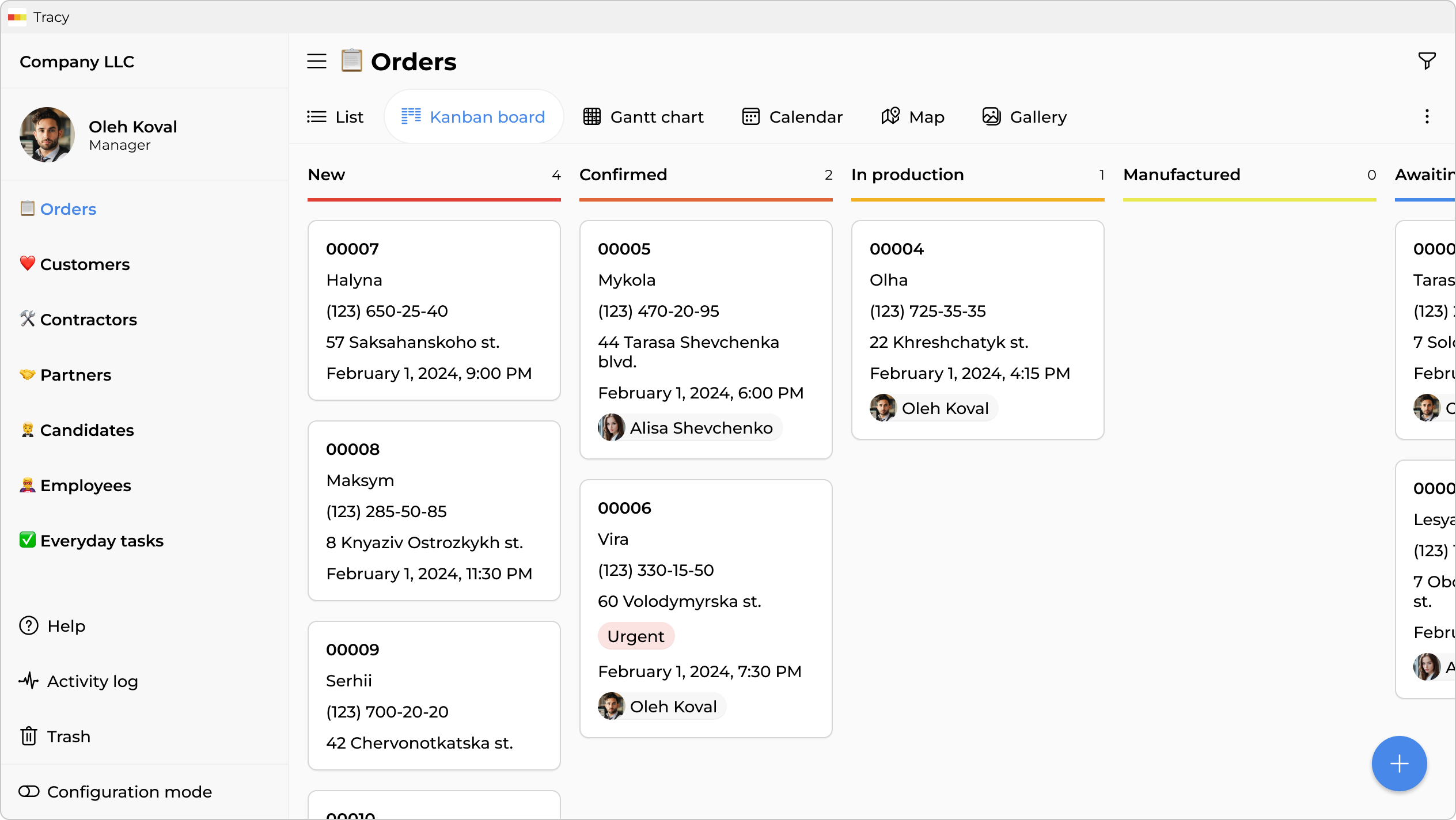
Tracy is a tool for operation-driven businesses with repeating processes. It is built around a few key ideas:
Cards and stages. Each order is a card. It moves through stages: “New Request” → “Technician Assigned” → “In Progress” → “Completed” → “Closed”. Each stage has its own set of fields and its own logic.
Field-level access. Every field in a card can be assigned who sees it and who can edit it—depending on role and current stage. A technician sees the address and client phone number but not the cost of work or internal manager notes. A manager sees everything but cannot modify a closed order. The owner sees and can do everything.
Guest access. You can send a client a link that shows only their card—and only the fields you choose to share. No registration, no extra data.
A focused mobile app. A technician opens their phone and sees: two orders for today. Address, client name, what to do. Attach a photo when done and tap “Completed”. Nothing else is there—and that is intentional.
Practical Example: AC Repair Service
Here is a sample order card and who sees what:
| Field | Owner | Manager | Technician | Client (Guest) |
|---|---|---|---|---|
| Client name | ✓ edits | ✓ edits | ✓ views | ✓ views |
| Address | ✓ edits | ✓ edits | ✓ views | ✓ views |
| Client phone | ✓ edits | ✓ edits | ✓ views | — |
| Cost of work | ✓ edits | ✓ views | — | — |
| Cost price | ✓ edits | — | — | — |
| Manager comment | ✓ edits | ✓ edits | — | — |
| Completion photos | ✓ views | ✓ views | ✓ uploads | ✓ views |
| Payment status | ✓ edits | ✓ views | — | ✓ views |
| Internal notes | ✓ edits | ✓ edits | — | — |
One order—but everyone sees exactly what they need to do their job.
The manager cannot edit a closed order—the system simply won’t allow editing those fields at the “Closed” stage. A new technician opens the app and immediately sees their tasks—no onboarding needed to find anything.
Summary: How to Choose
Notion fits if:
- you maintain a knowledge base, documentation, or internal wiki;
- you have a small team with high trust and equal access to information;
- processes are varied and unique, and rigid structure would get in the way;
- you need format flexibility—docs, tables, Kanbans all in one place.
Tracy fits if:
- you run an operations business: cleaning, repair, delivery, salon, custom manufacturing, etc.;
- the same processes repeat dozens or hundreds of times;
- different roles need different levels of access to information;
- field staff work from phones and have no time to learn a system;
- you want a new hire to start working the same day without tool training.
These products don’t compete directly—they serve different purposes. Many companies use both: Notion for internal documentation and strategic materials, Tracy for day-to-day operations and field team coordination.
If your business has outgrown Google Sheets and you need role-based access, a mobile app, and stage-based automation, Tracy is worth trying. The free plan lets you get started at zero cost.
Frequently Asked Questions
Can Notion Hide Individual Properties From Certain Users?
Hiding a database property is technically possible, but it only removes the column from your own view—it is not a true access restriction. Anyone with access to the database can open a card and see all properties. Notion does not support field-level access control, only page-level or database-level. If you need one employee to see the cost of work and another not to, Notion is not the right fit without complex workarounds.
In Tracy, access to every field is configured individually: who sees it, who can edit it, and at which order stage. This is enforced server-side and cannot be bypassed.
How Do I Make a Notion Employee See Only Their Own Tasks?
Notion 3.0 added page-level permissions—you can configure a person to see only the rows of a database where they are listed as the assignee. But there is a limitation: if they can see the row, they see all its properties. Column-level access is not available even with this feature.
In Tracy, a technician sees only their own orders and only the fields you have permitted for their role. Everything else simply does not exist for them in the interface.
Does Notion Offer Guest Access for Clients?
Yes. You can share a link to a specific page or make it public. But the client will see everything on that page—you cannot hide some fields from them.
In Tracy, guest access is configurable: you choose which fields the client sees via their link. For example, they can see the order status and the technician’s estimated arrival—without seeing the cost price, team comments, or technician contact details.
Notion or CRM—Which Should I Choose for a Service Business?
Notion is not a CRM in the classic sense. It is a flexible information space from which you can assemble something CRM-like. But as the number of orders and team members grows, Notion demands increasingly more manual configuration and workarounds.
Tracy is built specifically for service businesses with repeating orders: ready-made templates for cleaning, field service, repair, and delivery are included. Role-based access and the mobile app come out of the box, not assembled from spare parts.
How Quickly Can a New Employee Start Working in the System?
In Notion, a new employee needs to be introduced to the workspace structure, shown where things are, told which databases relate to their work, and what to change versus what to leave alone. For complex workspaces, this can take several days.
In Tracy, a technician opens the app and—if it has been set up correctly—immediately sees only their own orders. Nothing extra is present, just what is relevant to their work. Onboarding comes down to explaining two or three actions in a card.
 Dmytro Sikorskyi